

How Strong Design Narratives Lead to Great Designs

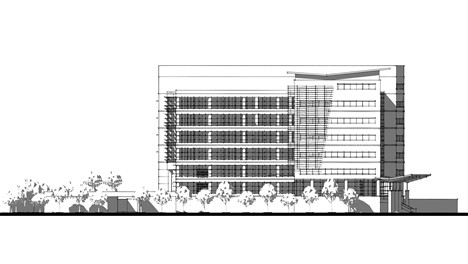
From its inception as a two-person startup manufacturing plasmid DNA to currently navigating the build out of it’s 14-acre campus, Aldevron has relied on SketchUp for many of its architectural and design projects. We chatted with SketchUp advocates Matt Chambers, lead strategist at Aldevron, and Chris Fischer, lead architect at BWBR architecture firm, to dive into the 3D details and explore how BWBR in tandem with ZerrBerg has helped Aldevron realize their architectural goals for the new campus.
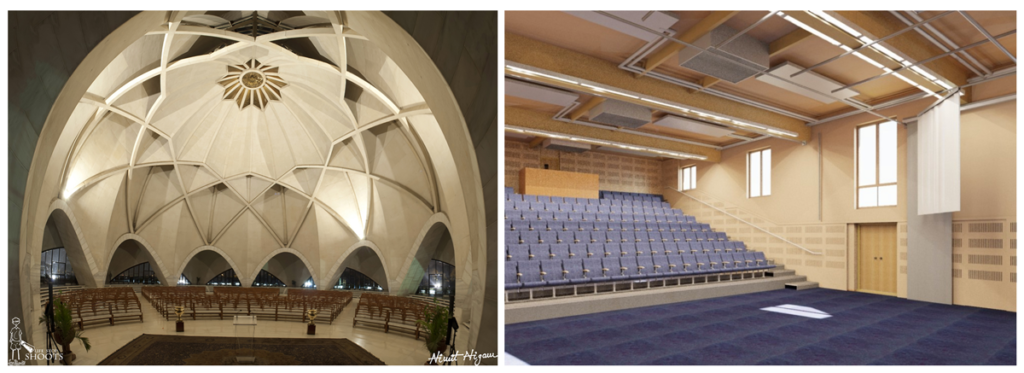
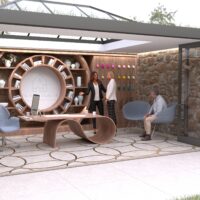
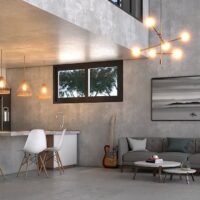
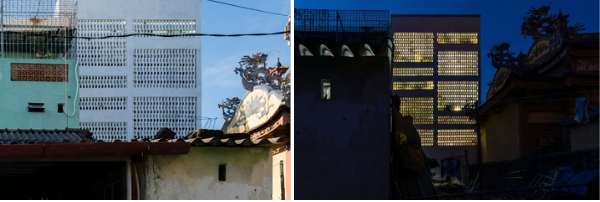
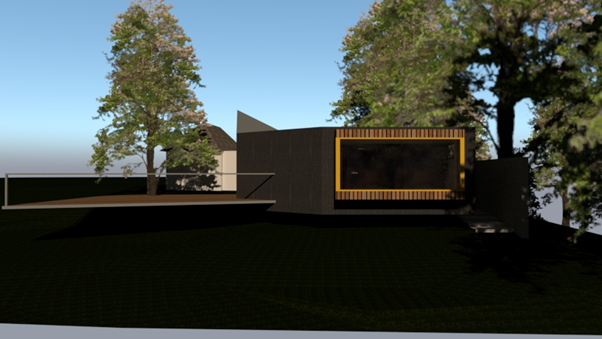
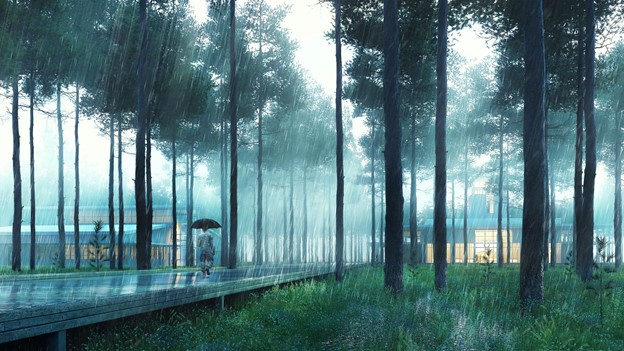
Left; A contemporary temple. Right; A modern school hall.

No doubt, a key reason for this is the difference in design narrative. Even to a non-believer, a building “dedicated to the glory of God” would drive a completely different chain of decision-making events throughout the project’s lifecycle. 

No matter how small or large your project is, the notion of a strong design narrative that ties the project together is an incredibly powerful way for an architect to influence the project from conception to build. Most importantly, if the architect does not craft a design narrative, that void will usually be filled by something else that may lead to suboptimal outcomes.

Why a good narrative is important

Good design narratives combine an understanding of the client’s (or eventual occupant’s) requirements and needs with the unique constraints and opportunities of the site. These considerations then provide a simple narrative that can be used to test decisions throughout the project, even if the designer is no longer involved. This narrative tells the story of the project, the driving reason for being beyond basic functional needs.

Examples of design narratives include, ‘Connection with the outdoors,’ ‘Harmonious existence with the local environment,’ or ‘A community lighthouse that shows the way.’ Design narratives that tend to emerge without design leadership can include, ‘Tried and tested solutions,’ ‘Do the minimum necessary,’ or ‘Keep costs down.’


While the last three are possibly reasonable goals for some projects, they are not design narratives. It’s easy to imagine how they might lead to outcomes the client didn’t want.

Ingredients of a successful design narrative

The strongest design narratives combine a clear understanding of all of the following attributes:

  • The owner’s hopes and dreams for the project. Understand why they are procuring the building.
  • The needs of the eventual users of the building, who often are not the owners. 
  • The constraints presented by the site, whether it be architectural precedents or geographic and urban considerations.
  • The local climate and weather patterns.

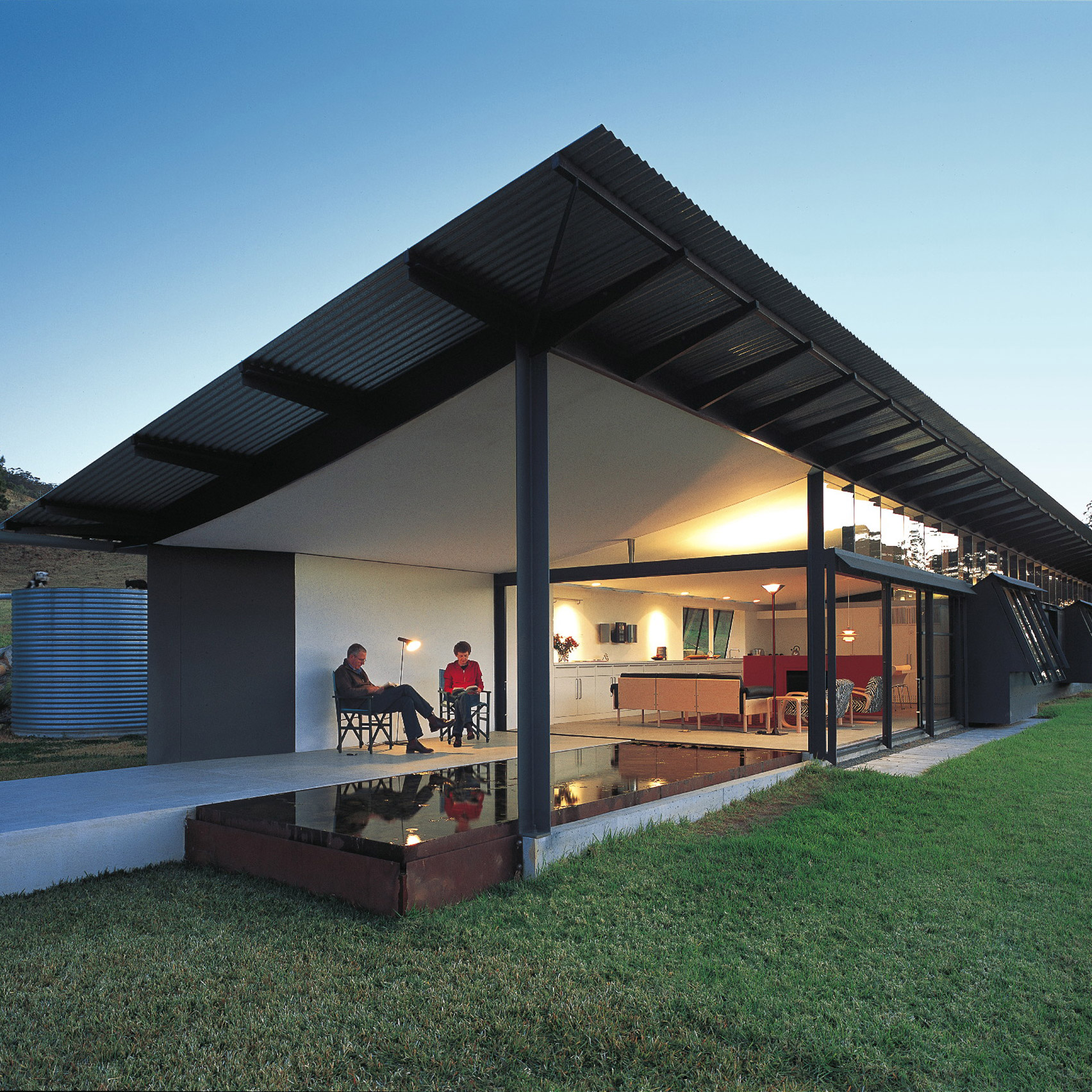
Famed architect Glenn Murcutt is regarded for his practices surrounding design narratives, as he would often camp on a site for weeks to understand his projects’ needs better. The successful design narratives that resulted spoke to his true understanding of the needs of a project.
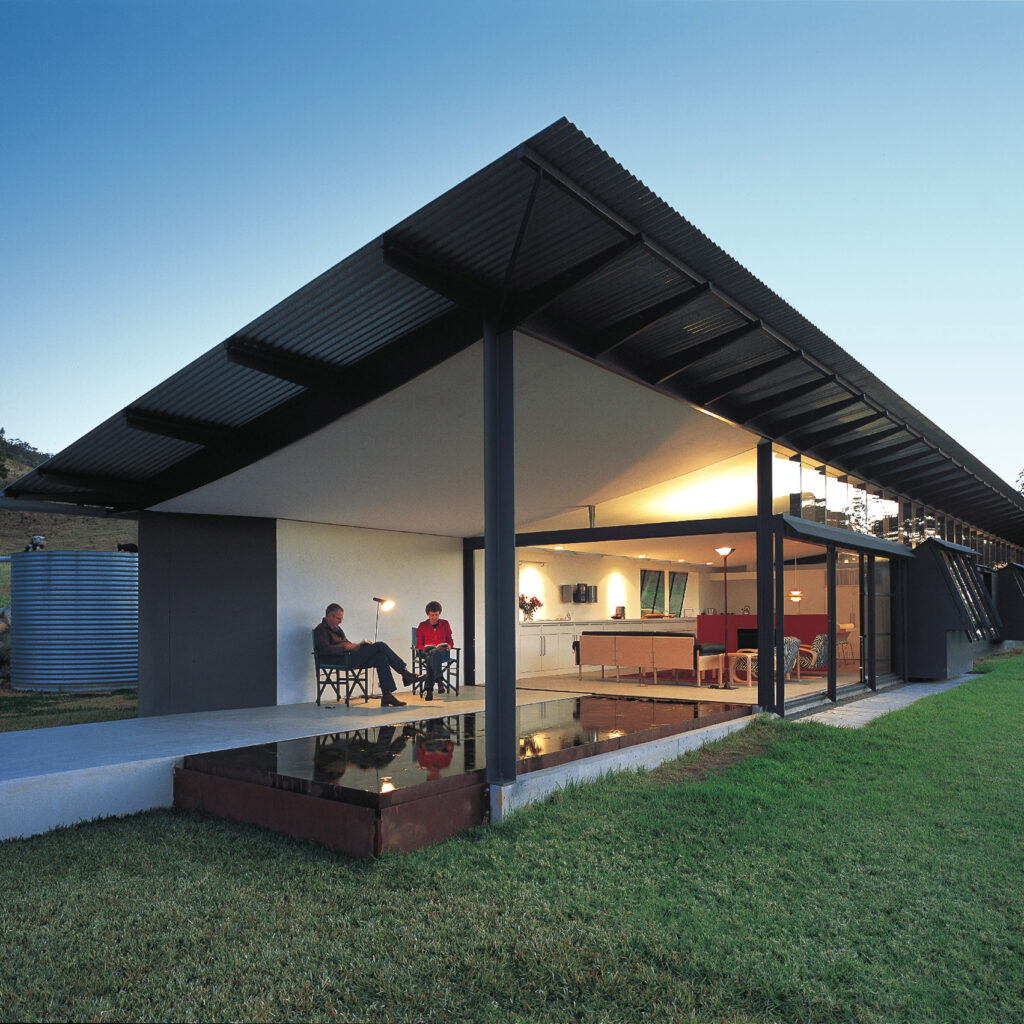
Glenn Murcutt’s Simpson-Lee House, Wahroonga, 1962. Image courtesy of Dezeen

Even though many were houses, and the owners were the occupants, Murcutt used his research as a tool to bring maturity to the owner’s requirements. Building on and rooting their requests within the site’s context surely made it easier to get the owner on board with his proposals. 

Unfortunately (or fortunately) for many architects, camping on site for a week is not an option. The art of researching the local climate and weather conditions is one area of pre-design research that is often done poorly, if done at all. This omission can lead to weaker, less effective design narratives.

How to incorporate climate research into a design narrative

Most architects know that considering local weather conditions and climate is important. However, if you, like many, are simply pasting a wind rose into a concept design report, then you’re missing the “so what” that makes climate research compelling. It makes the owner’s dreams more realistic and more focused.

Start with client-driven design needs.

The client’s design needs often aren’t specific enough to form a robust narrative, but in combination with climate research, they are the best starting point for developing a concept. The table below gives examples of how climate research can shape client requests into useful design narratives.
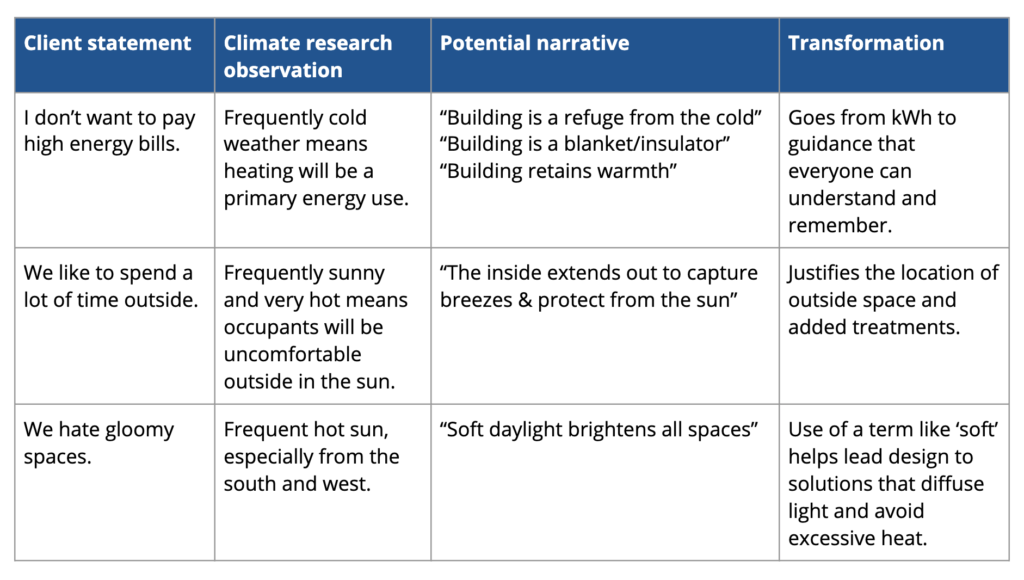
The narrative’s goal is to combine the data and the client’s desire into a memorable theme that informs design. 

The dos and don’ts of climate research

If you can only dedicate a small amount of time to climate research, you should focus on things you can use to genuinely inform your design and discuss them in a conversation with your client. Avoid being overly technical or presenting diagrams and information that cannot be easily consumed or remembered. A few simple pointers below:

Do:

  • Start by aligning with your client about the climate you’re designing in. Answer questions like, ‘What are the seasons like?’, ‘When is it hottest?’, ‘When is it coldest?’, ‘How sunny and windy does it tend to be?’. Start small and in areas where you can agree. 
  • Take the time to first think about your client’s requirements and then assess the climate information through that lens. 
  • Connect the dots for your client by using the climate data to explain recommended design solutions or approaches. For example, the client wants a lounge that opens out into a lush garden, but the climate is hot with no strong winds most of the year. That might mean you introduce a pergola with ceiling-hung fans to fulfill the brief.

Don’t:

  • Get into an argument about what the climate is like with your client. If they have anecdotal evidence of what it’s like in that location, incorporate that into your findings.
  • Present graphs and charts that are hard for non-professionals to interpret, especially without associated implications for the project.
  • Forget to tie your climate conclusions back into your design narrative.

Just like everything in design, incorporating climate research into your design narrative takes practice. Start small, listen to your client, talk about the weather, and see where the journey takes you!
Showcasing Some Incredible “Design Your Dream Room Using V-Ray” Finalists

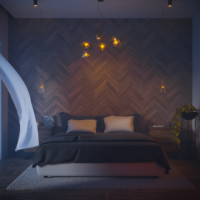
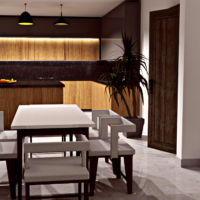
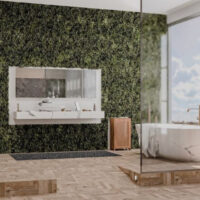
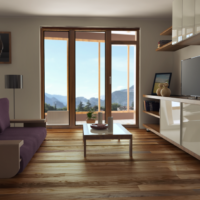
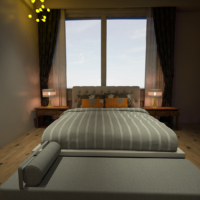
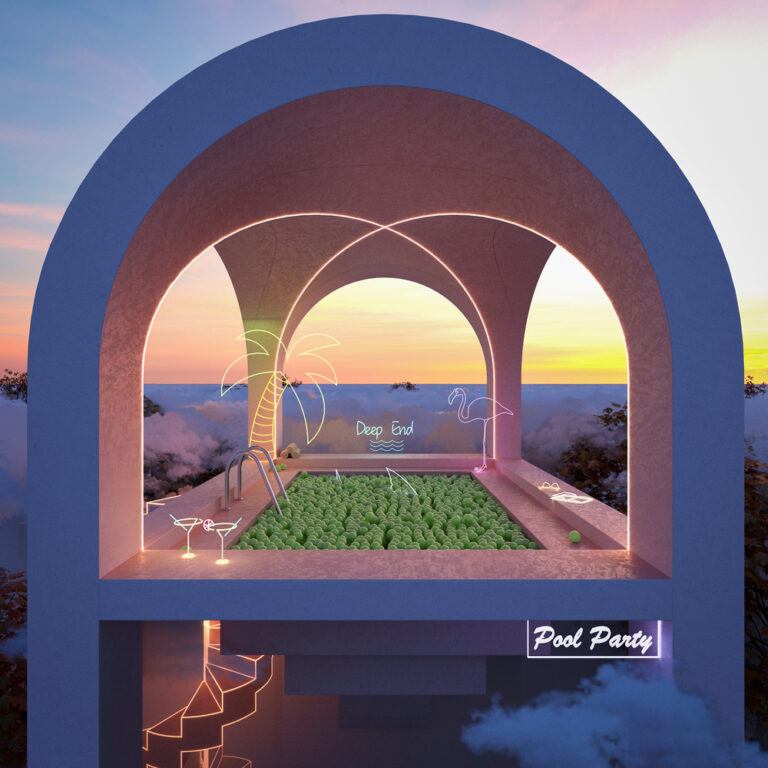
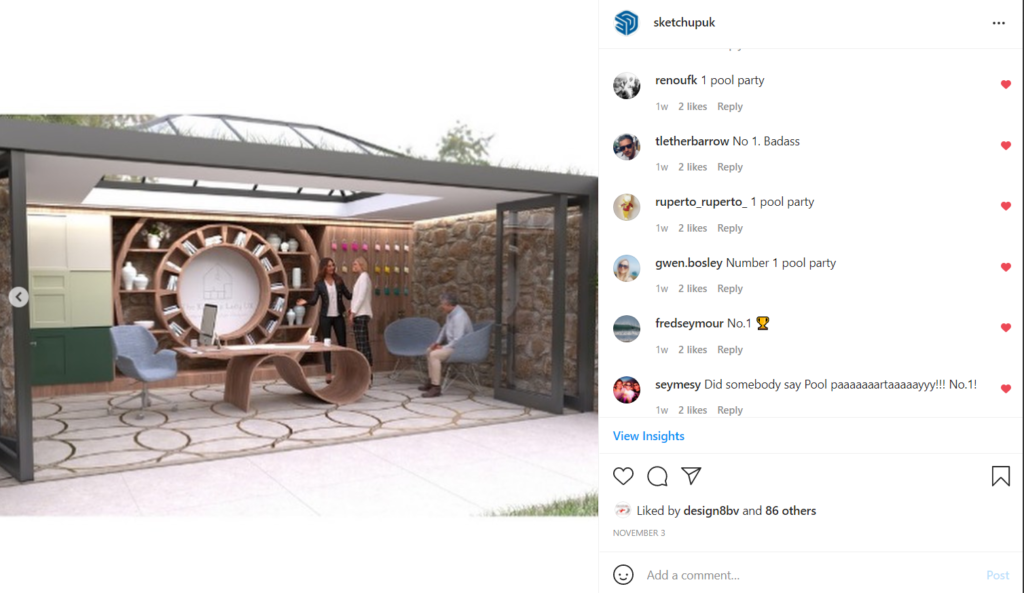
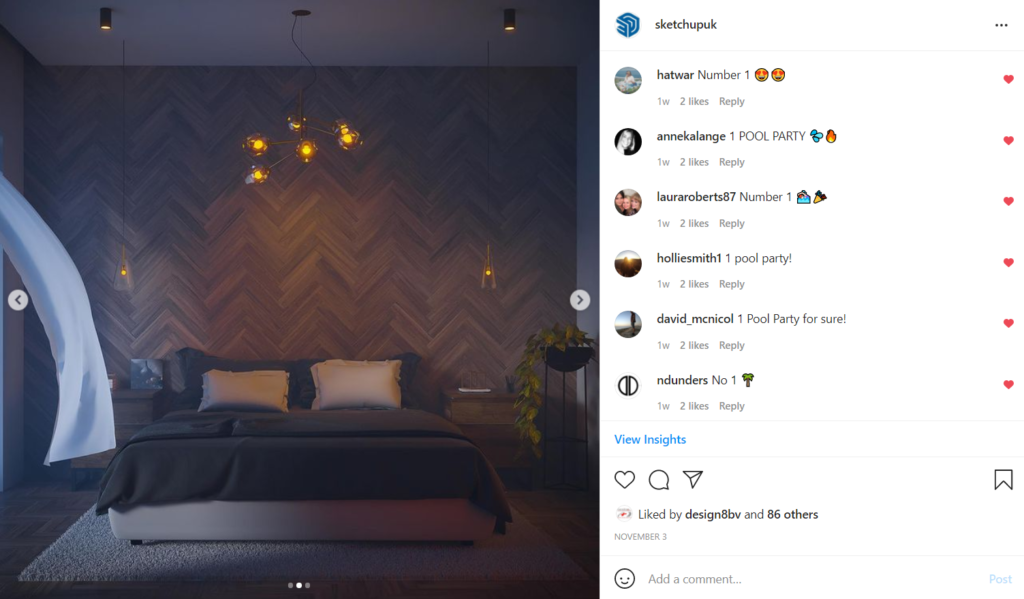
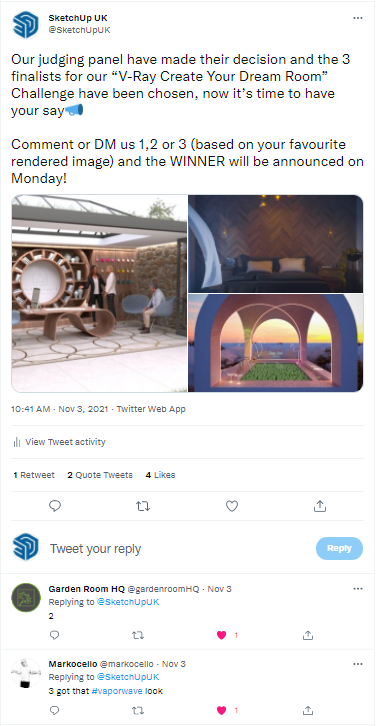
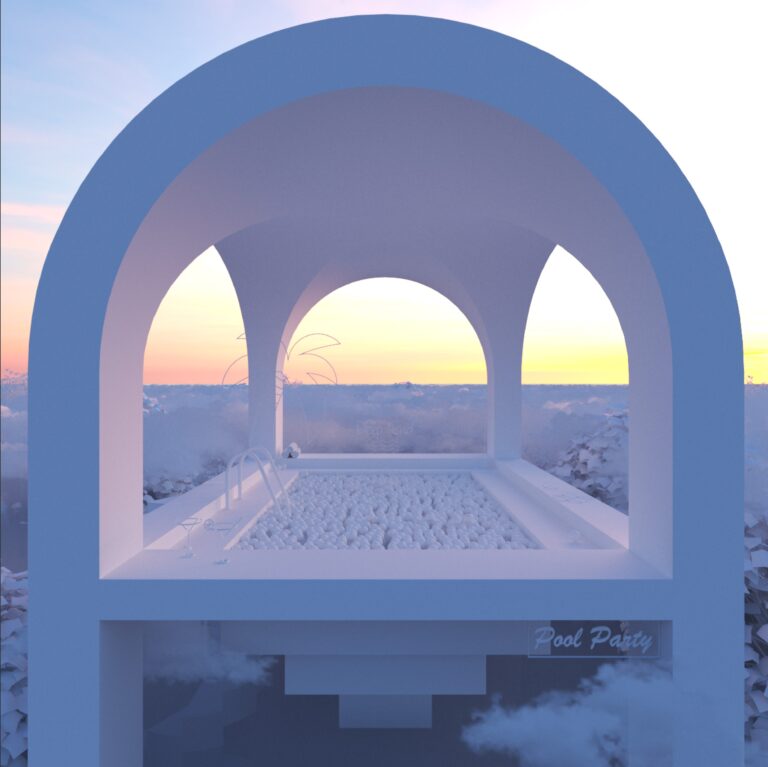
The Shortlisted entries to our 2021 “Design Your Dream Room” Challenge Using V-Ray for SketchUp.

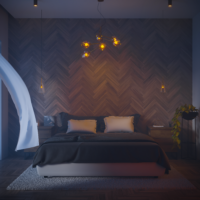
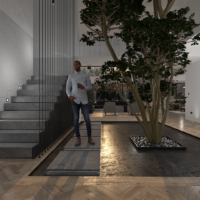
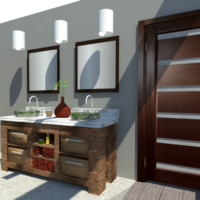
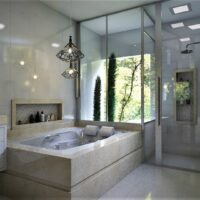
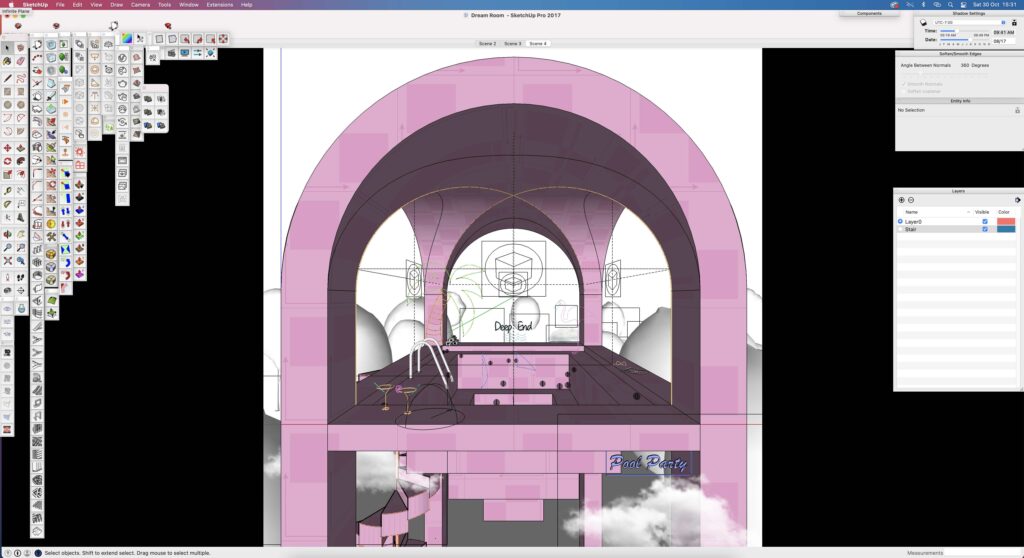
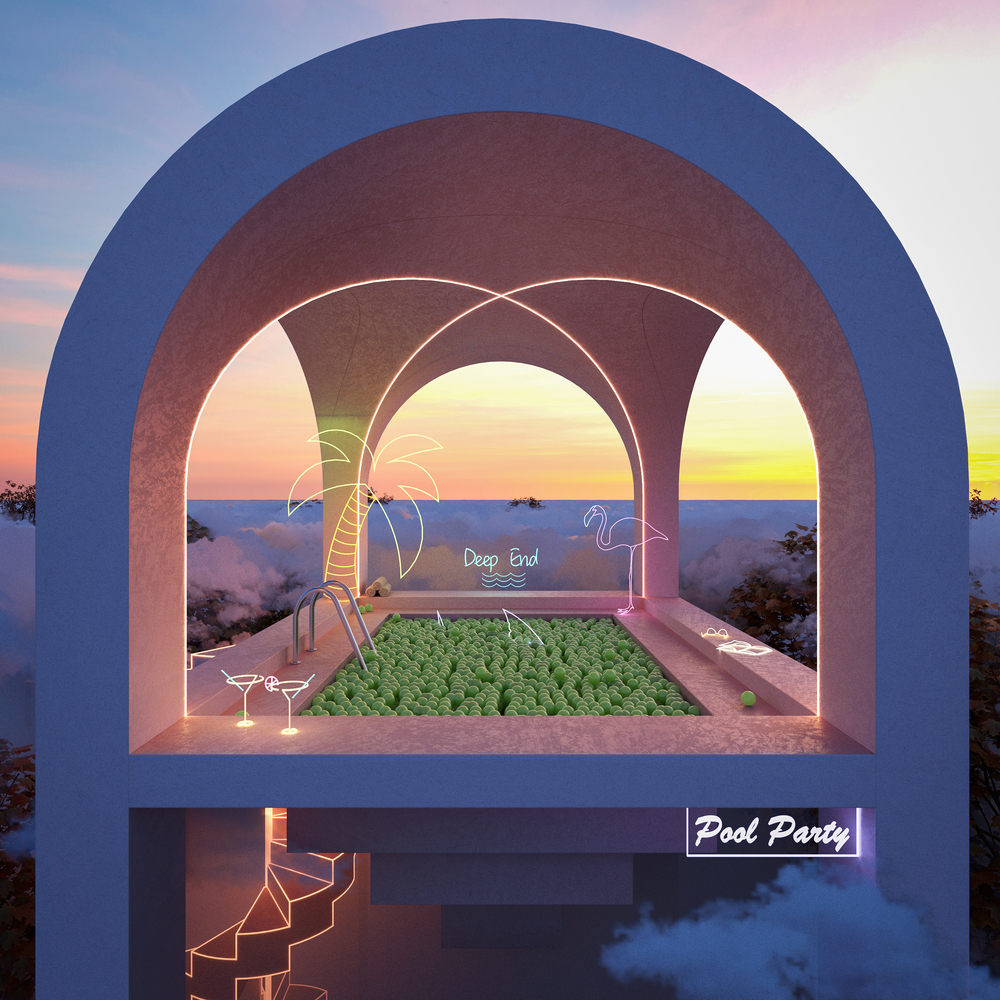
After weeks of hard work, the entries received for our annual “Create Your Dream Room” Challenge for digital designers using V-Ray for SketchUp were out of this world. From bedrooms, to pool parties, office spaces to bathrooms, you didn’t disappoint. 

What did the challenge involve?

After nearly two years in lockdown, we’ve all dreamed of the perfect room, whether it’s our home office with a vending machine in, a bedroom with a hot tub in the corner, or a living room looking out over the NYC skyline…

We set a challenge to our audience of Digital Designers to go wild and create the room of their dreams within our V-Ray For SketchUp system using a free 7-day trial, and bring their perfect room to life…

Entries were asked to dream big, create, render and deliver, and boy did they…

ADAM FAIRCLOUGH

CUSTOMER SUCCESS MANAGER

IVAN KOZALIEV

V-RAY CG SPECIALIST AT CHAOS

KAYSEE MARRISON

INTERIOR AND ANIMATION SPECIALIST AT ARCHILIME

Three Entries Were Chosen As Finalists By Our Panel Of Expert Judges.

Three Finalists Were Chosen By Our Expert Judging Panel Before Being Released To The Public To Decide A Winner...


Here’s what our Judges said:


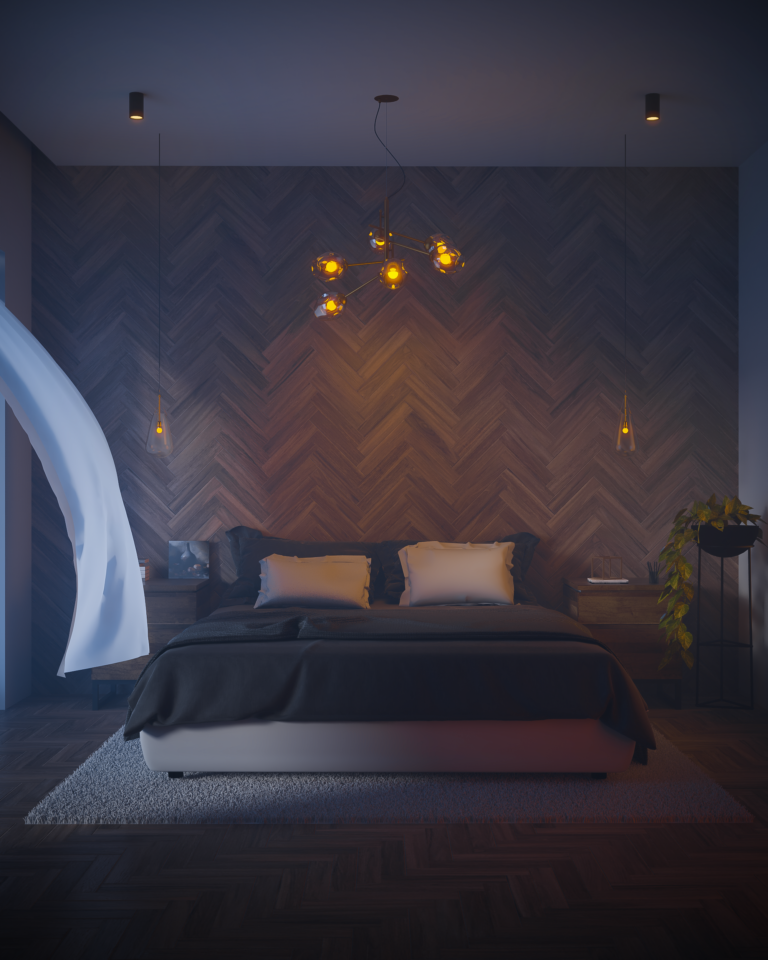
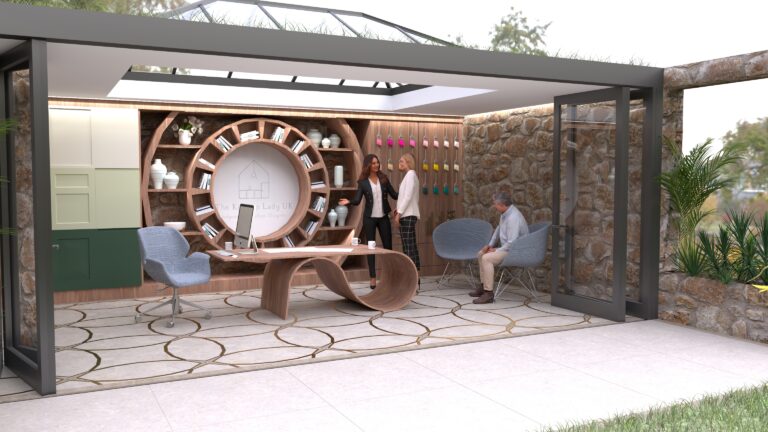
“This Design is colourful and fun, with a unique design it stands out from the other entries, the level of detail is great and the colour palette is really beautiful, great contrast. The lighting is brilliant creating a perfect atmopshere for the design, I love the choice of HDRI sky.” 


Here’s what our Judges said:


“”I like the use of the environement fog, very atmospheric, the warm lighting also adds to the design, the composition of the image is good and the fur looks good on the rug!” 


Here’s what our Judges said:

“I love the concept of an open interior space, the image is overall clean, crisp and showing a good knowledge of render settings, I like the depth of field which we haven’t seen in the other entries.” 

So who was the winner?

Ok, Ok, we’re getting to the good bit, I know you are all waiting for, who won?

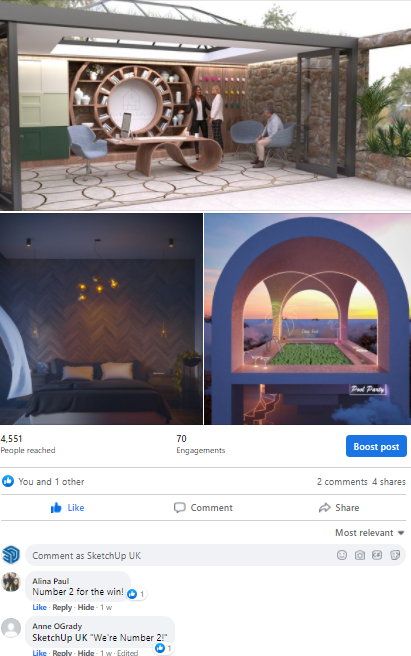
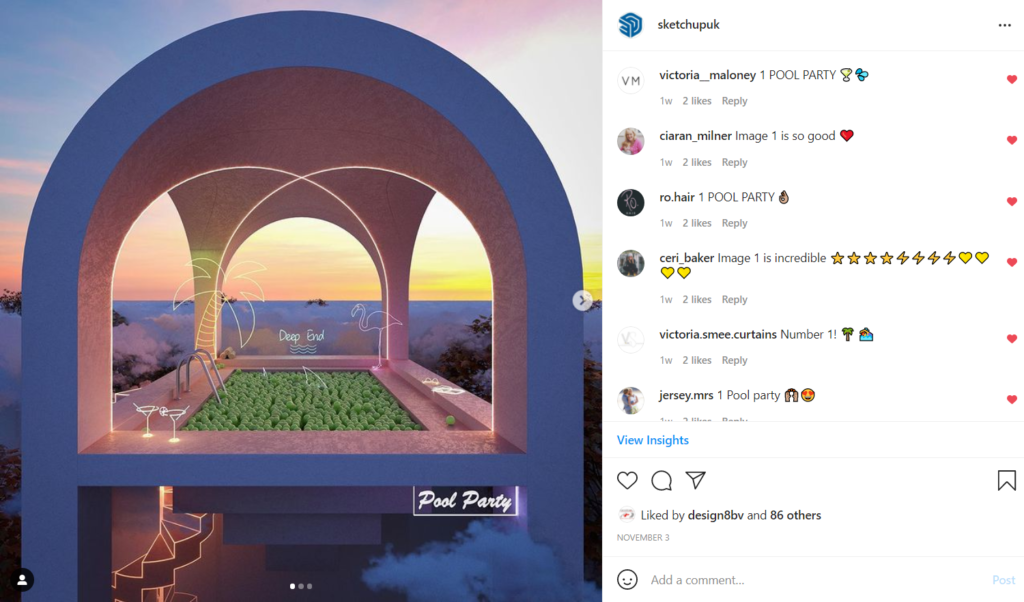
After hundreds of registered votes on various platforms it’s fair to say people had their say…

And the winner was clear...

Lorem ipsum dolor sit amet, consectetur adipiscing elit. Ut elit tellus, luctus nec ullamcorper mattis, pulvinar dapibus leo.

Think you can create simplistic, realistic designs for your clients using V-Ray for SketchUp? Give it a go with our 7-Day Free trial by clicking here. Give SketchUp Pro a try for free for 7-days here!
See How SketchUp Facilitates the Build-Out of a 14-Acre Campus for Biological Science

From its inception as a two-person startup manufacturing plasmid DNA to currently navigating the build out of it’s 14-acre campus, Aldevron has relied on SketchUp for many of its architectural and design projects. We chatted with SketchUp advocates Matt Chambers, lead strategist at Aldevron, and Chris Fischer, lead architect at BWBR architecture firm, to dive into the 3D details and explore how BWBR in tandem with ZerrBerg has helped Aldevron realize their architectural goals for the new campus.

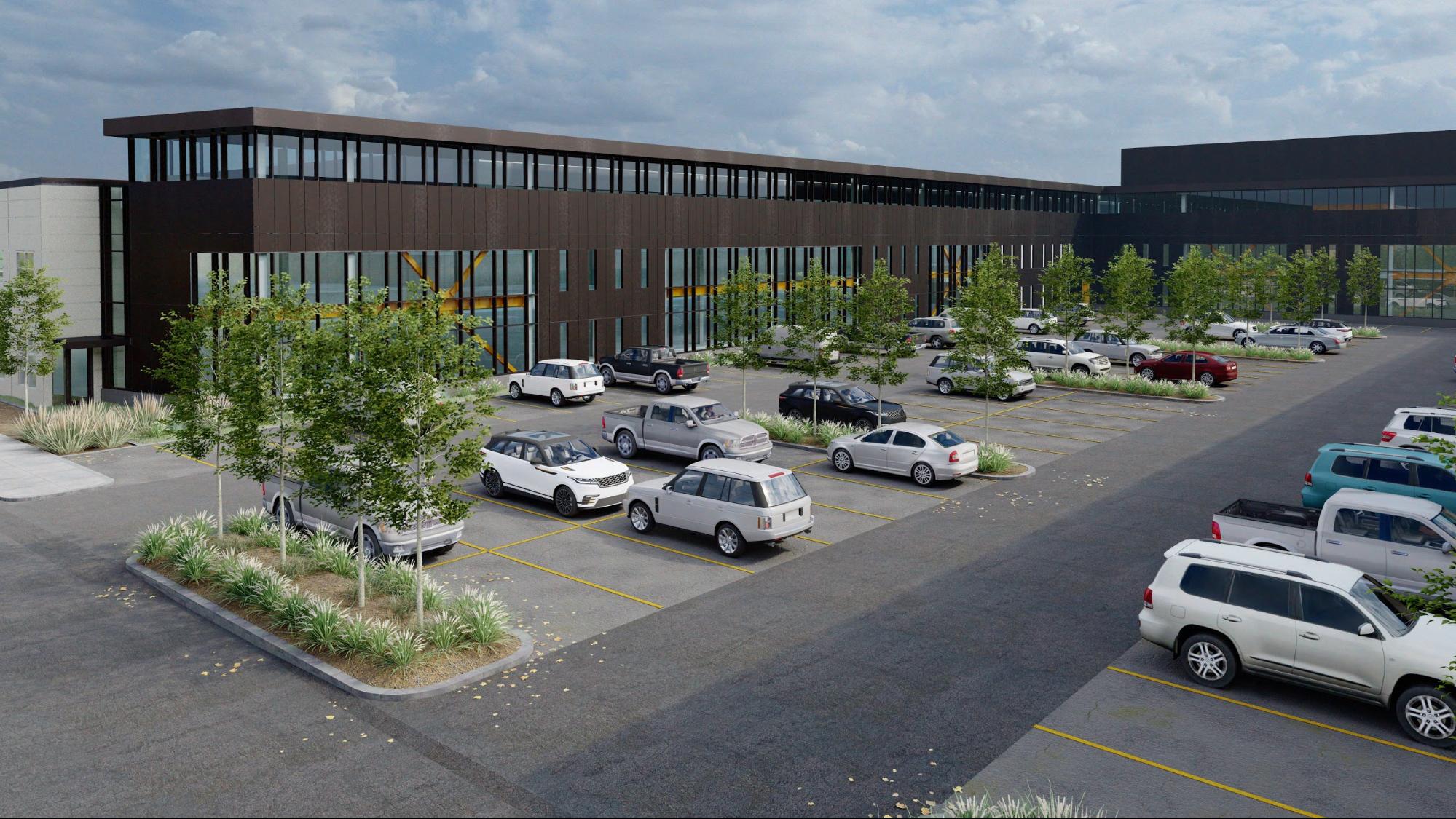
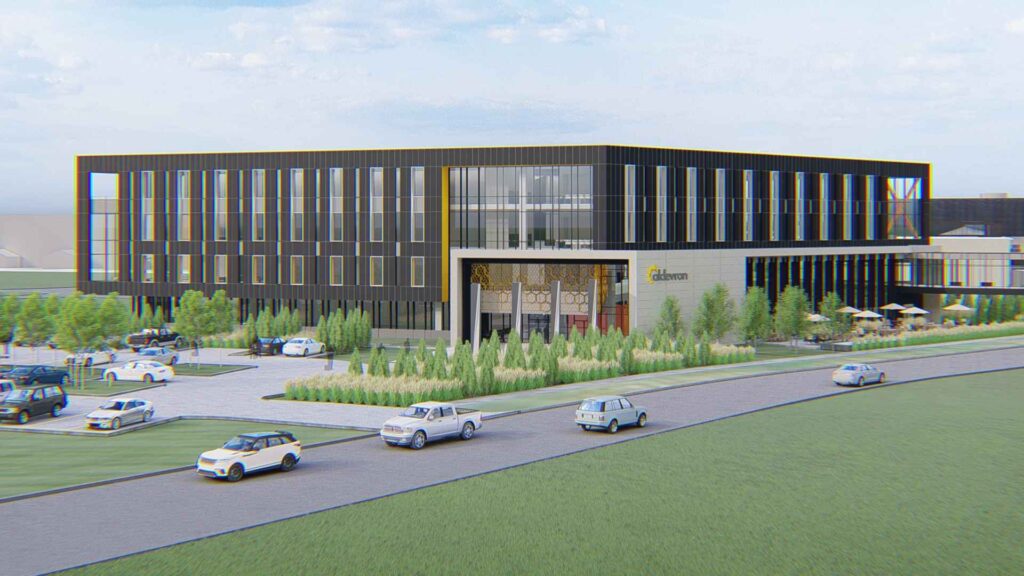
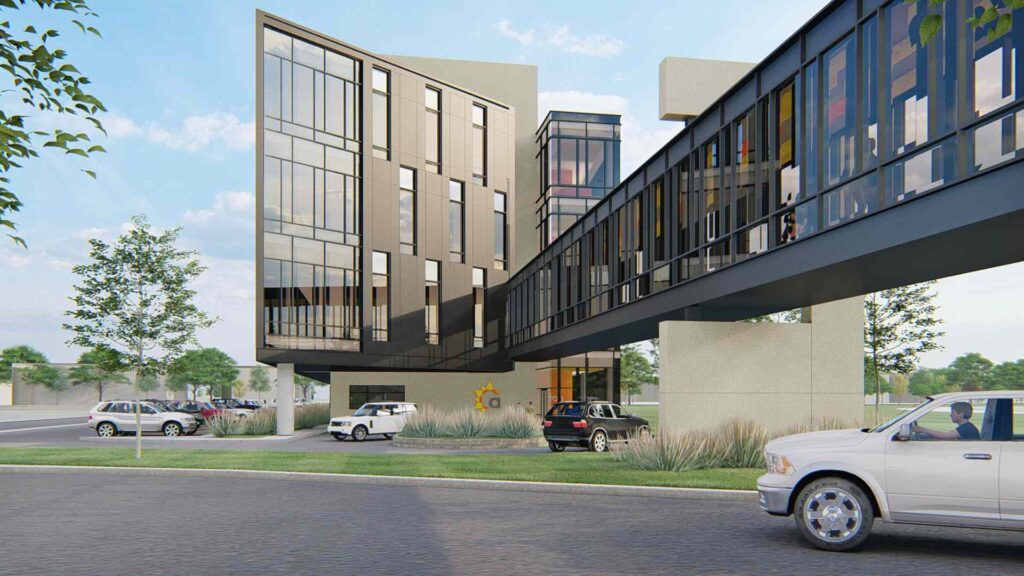
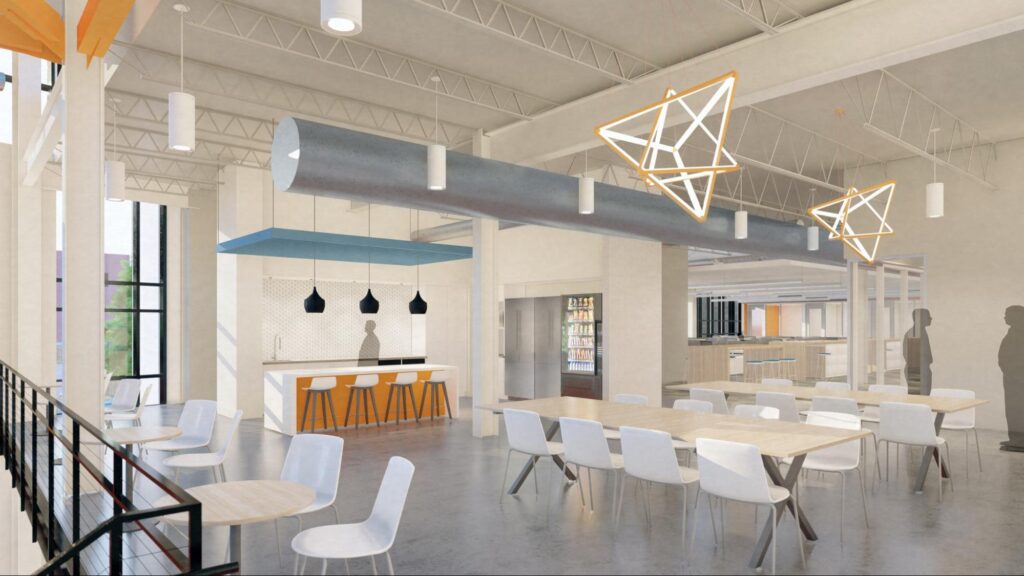
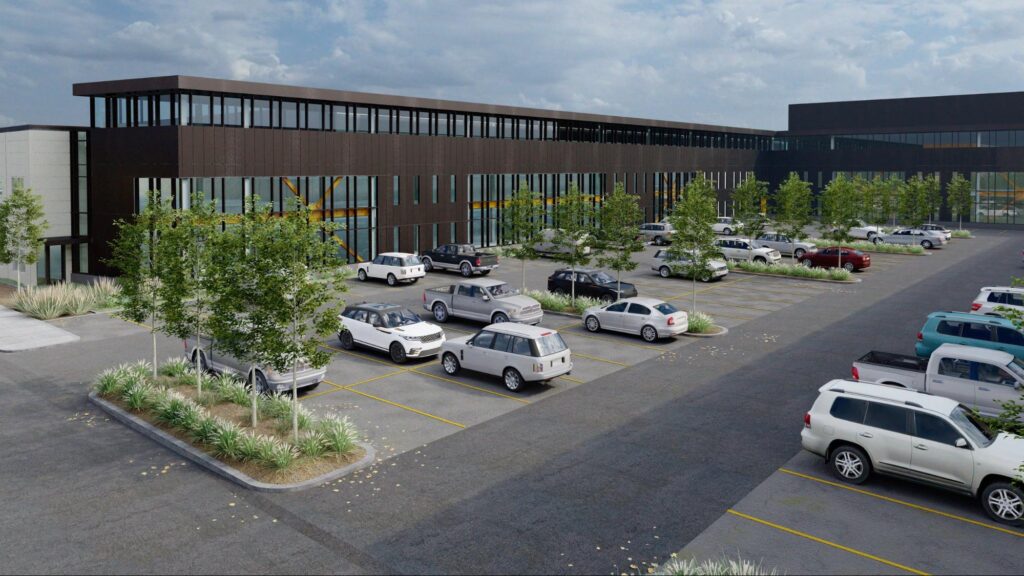
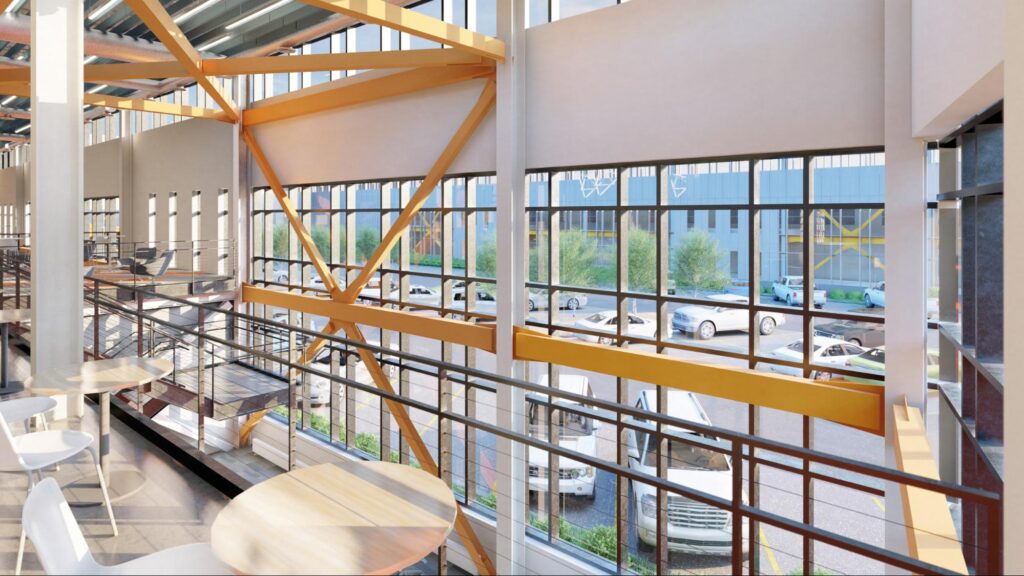
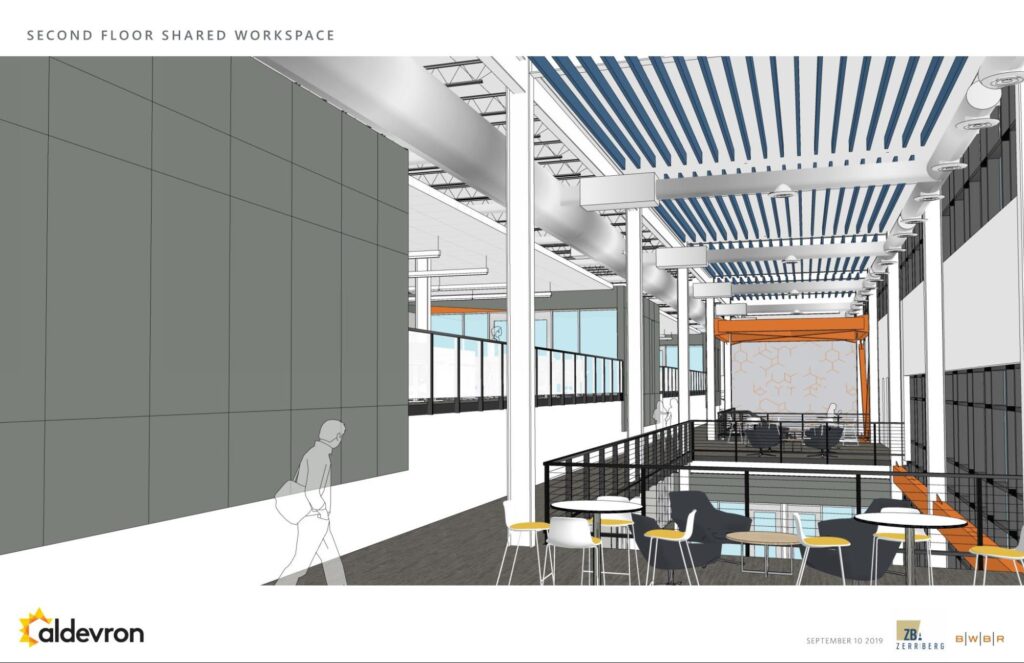
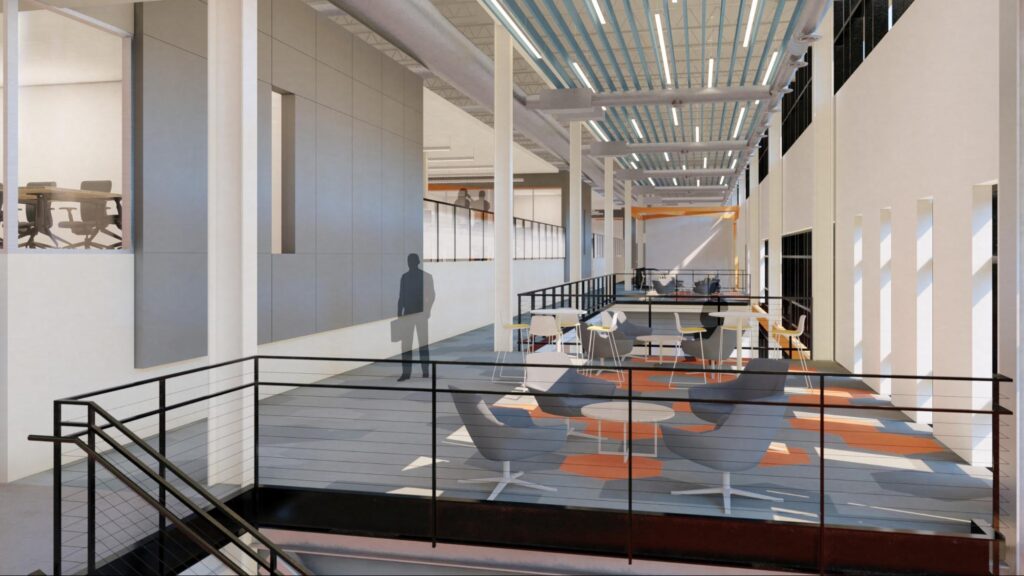
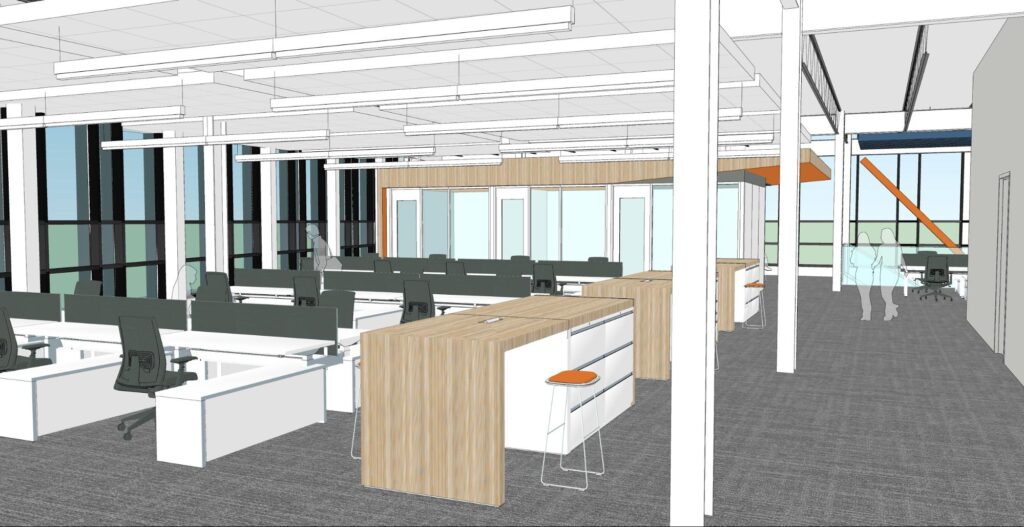
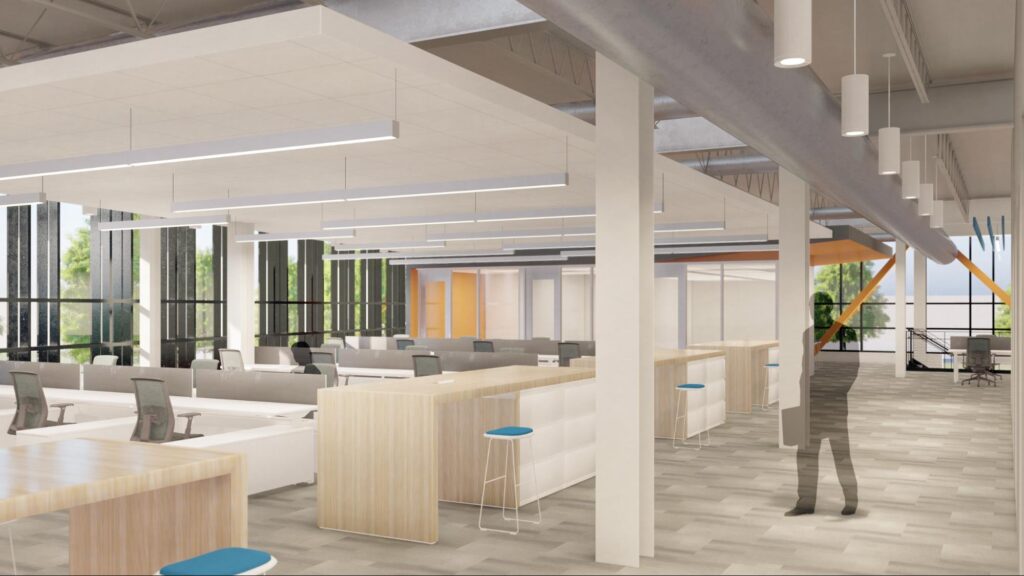
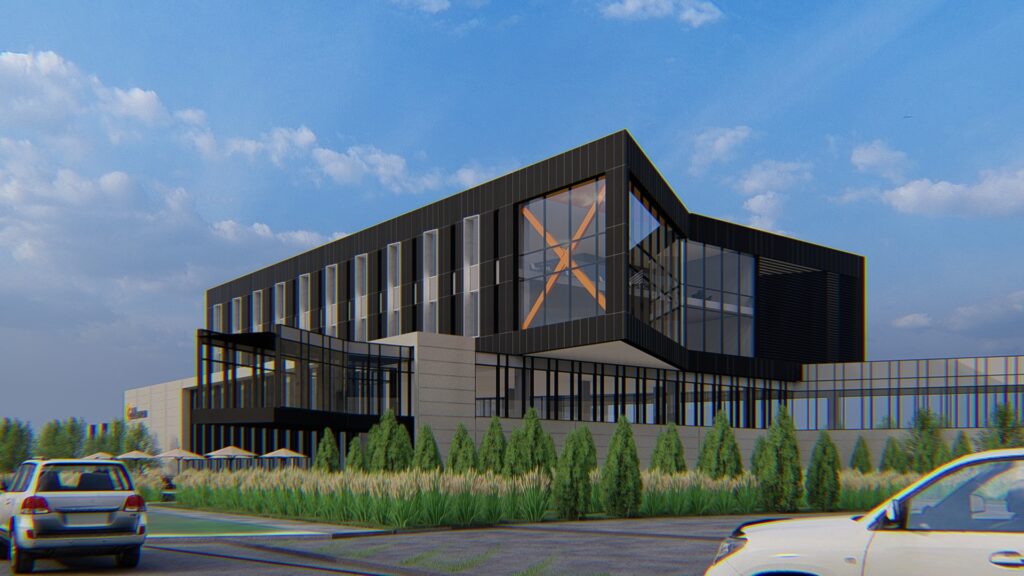
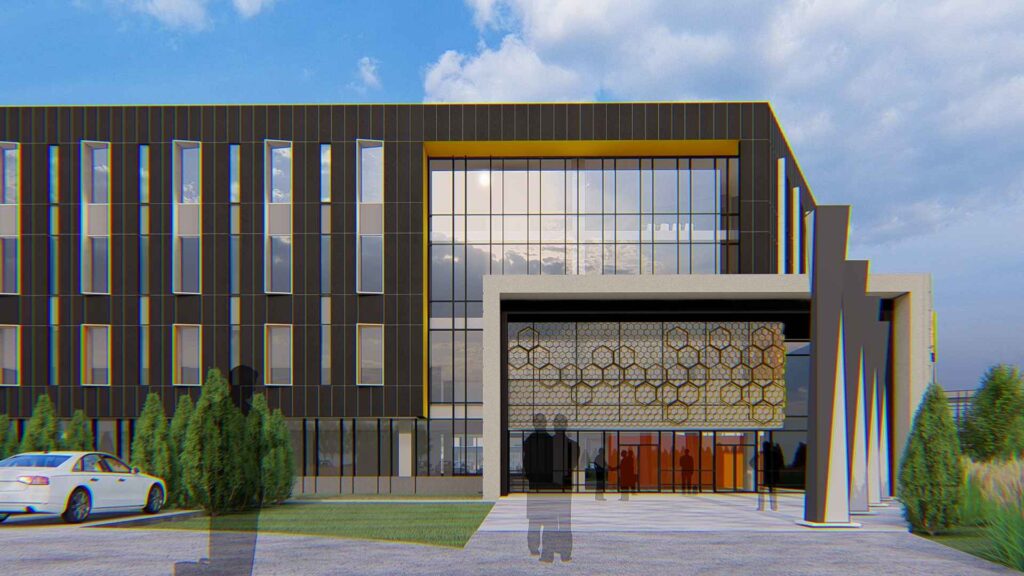
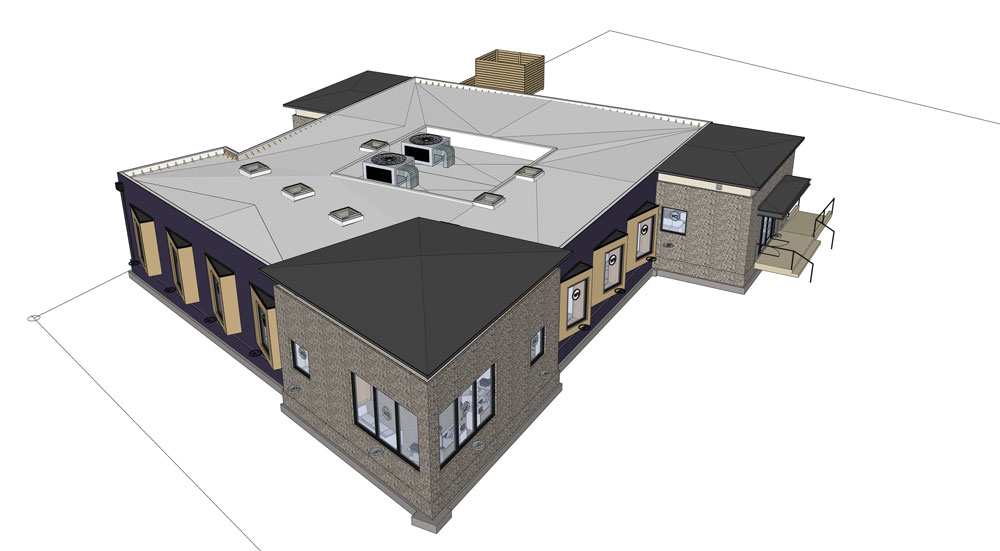
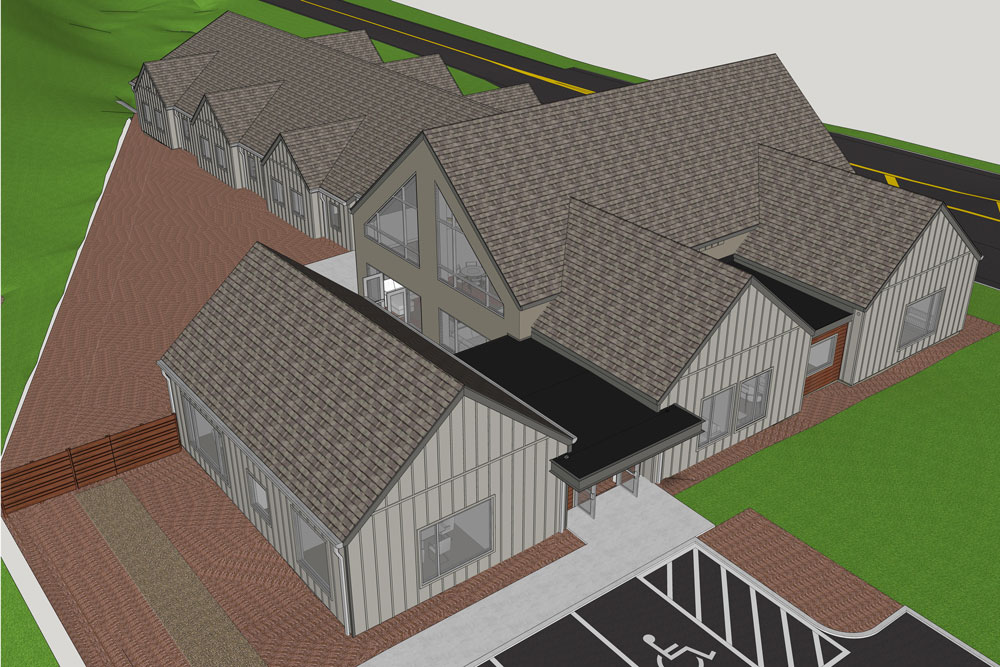
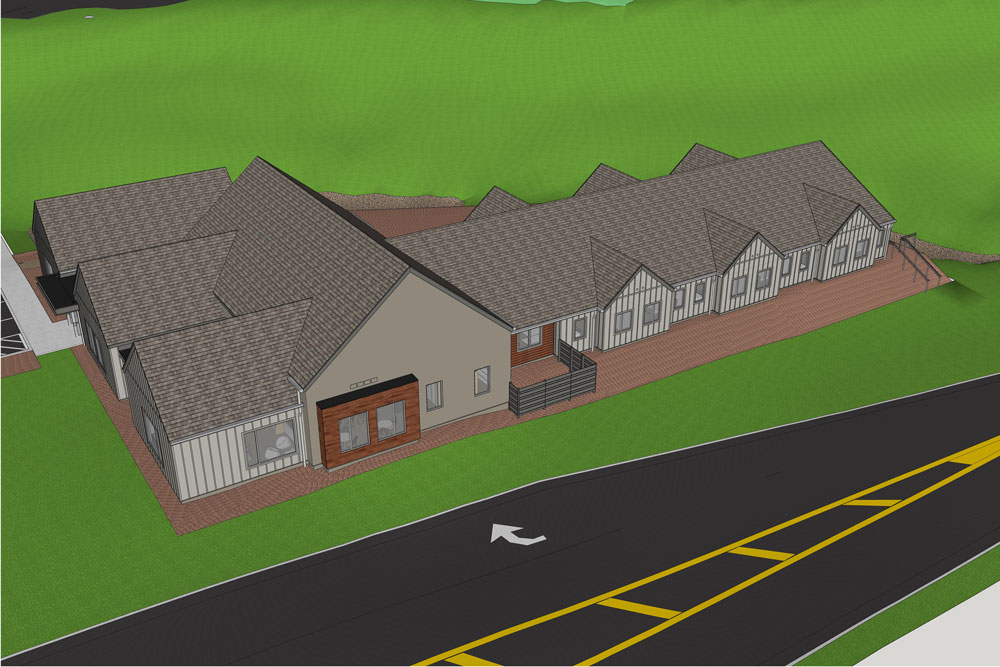
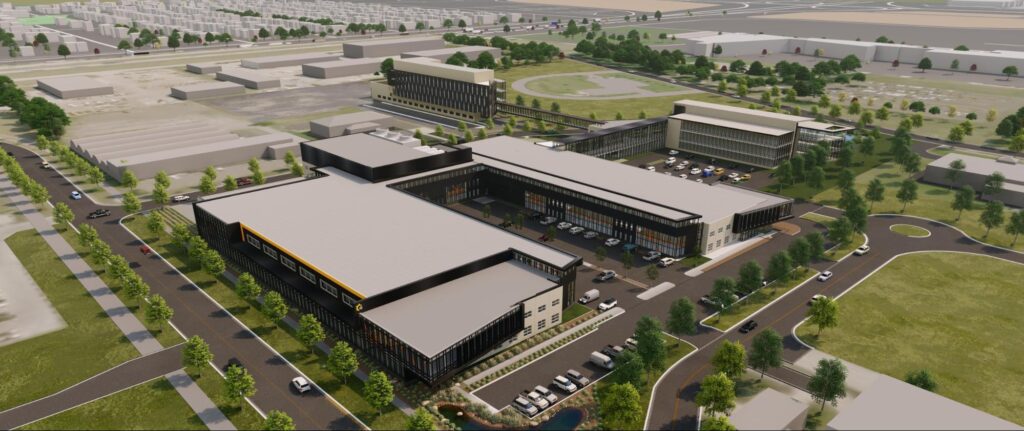
Different views of the new Aldevron campus using SketchUp and Lumion.

Matt, tell us a little bit about Aldevron and what your role at the company has been over the years.

Aldevron is a major global supplier of plasmid DNA, RNA, and proteins to the research and clinical communities based out of Fargo, North Dakota. When I started working at Aldevron back in 2000, it was just a start-up pushing hard to expand rapidly. Our team was much smaller, so we had a ‘roll up our sleeves and get things done ourselves’ approach. 

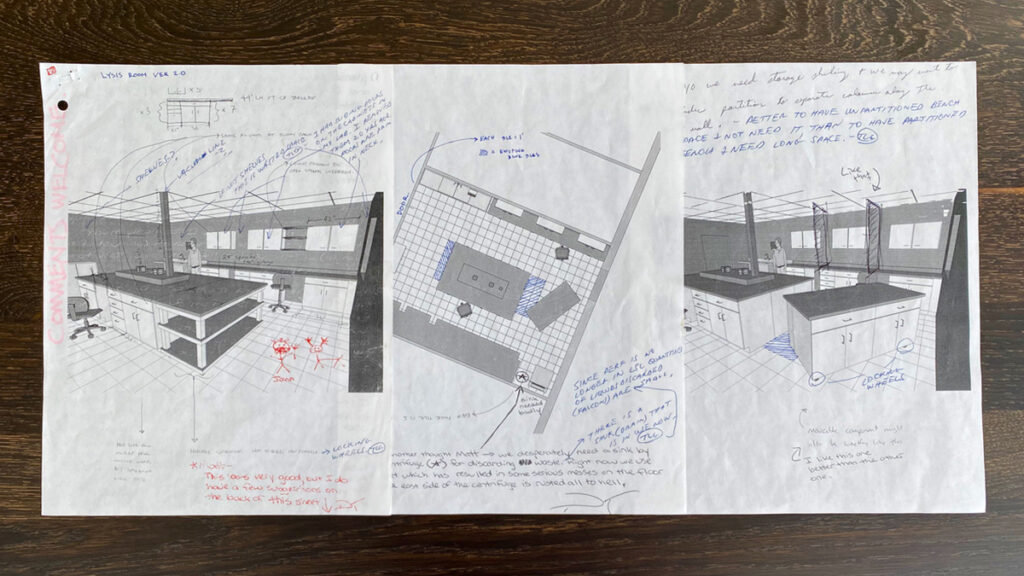
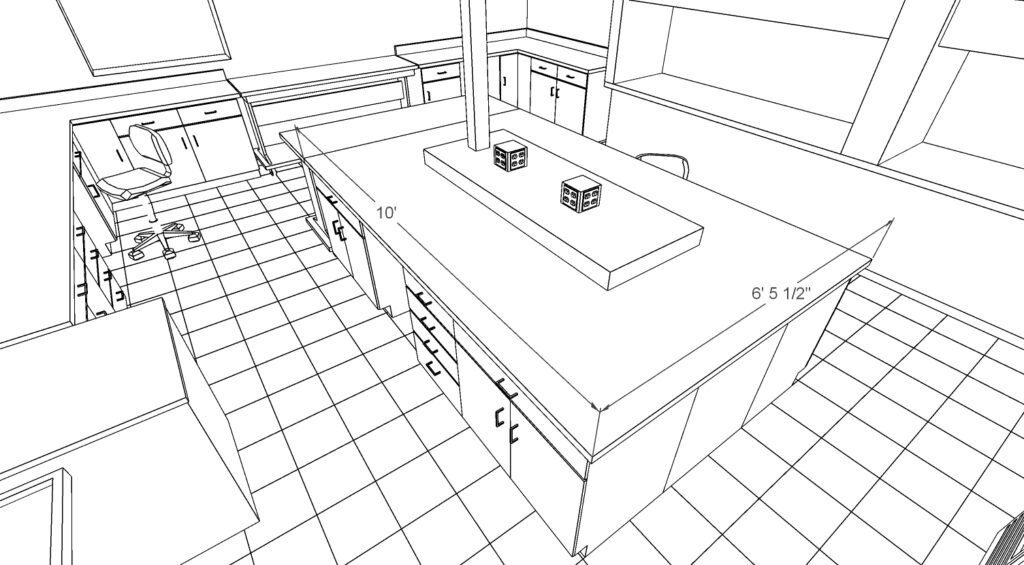
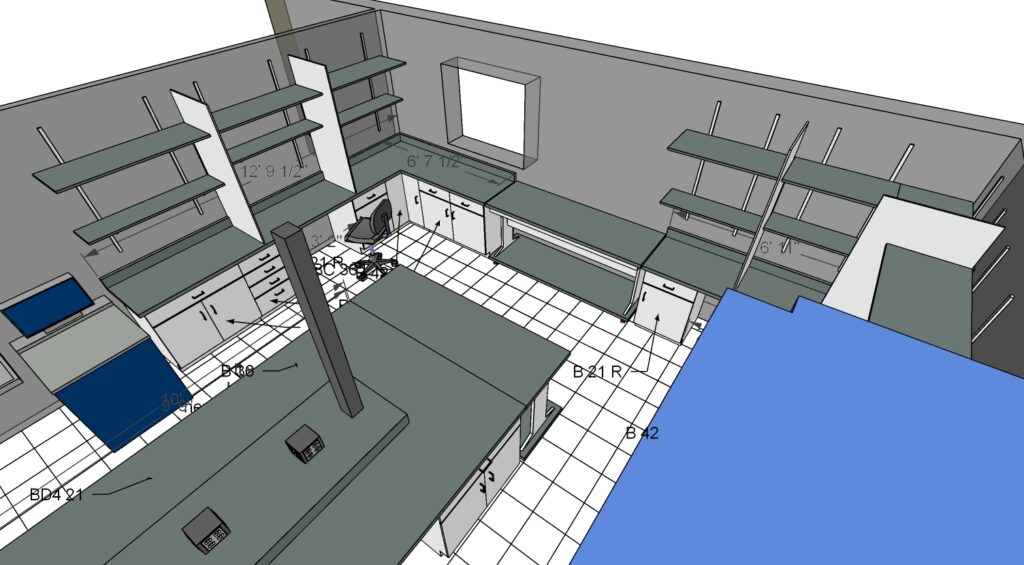
In that vein, I started using SketchUp to help with lab reconfigurations along with operational and logistics planning. I became a visual stenographer, in that I would brainstorm with the scientists on floor layout requirements and make rapid schematic designs to fit their needs. 

“SketchUp helped us swiftly prototype spaces within the building and iterate on the fly. From the start, being able to measure accurately and visualize the spaces in 3D was invaluable. This enabled us to get our internal clients — the scientists — on board with any changes.”

The early days at Aldevron: converting a small wet lab to a lysis room.

 Once Aldevron started to get bigger, we hired ZerrBerg with design partner BWBR to work with us on expanding our campus in alignment with our success and growth. ZBA, BWBR and Gehrtz Construction Services are currently managing phase one of our expansion of the 14-acre campus.

Chris, tell us a little bit about BWBR and what your role is for the Aldevron project.

 BWBR is a top architectural firm that strives to create exceptional spaces with the majority of our work focused on complex environments. We, along with ZerrBerg architects, were specifically chosen for this project because we have a strong background in designing for the science and technology industry. I am a design leader at BWBR, and I have overseen the design team on this project. A project that includes a very knowledgeable and decisive owners group, that has been exceptional at informing and guiding the design team on Aldevron’s process and goals.  Our team is focused on achieving the highest design standards possible for the client when considering function, composition, budget, sustainability, and resilient design.

Can you tell us about the new campus and the design?

Aldevron is in the beginning phases of building out a 14-acre campus in Fargo, North Dakota. Fargo is a significant location for Aldevron, tracing back to the founders’ native roots and key connections in the area.  Michael Chambers, founding CEO and Executive Chairman, studied at North Dakota State and University in Fargo, and still maintains strong ties to the University and community.

Michael’s vision for the company and acquisition of property near the Fargo Microsoft campus were key drivers in developing a holistic layout of the master plan. Currently, we are focused on the construction phase of the new, north manufacturing facility adjacent to the existing building. This new facility will be leveraged to meet the production demands of a rapidly growing company. Considering the company’s current growth and its changing spatial needs, we must maximize the capability of this site to support Aldevron’s growing operation. 

 The master plan consists of an expansion of the biologics manufacturing facility, and the development of both an administration and an R&D building.  

A high-level look at the entire proposed facility.

The materiality, composition, and layout of the buildings were purposeful and in-line with the mission and goals of the Aldevron project:  a sense of innovation and forward-thinking were implied in the architecture while maintaining functionality and efficiency from all vantage points on campus. Thus, throughout the building, we have incorporated a clean and modern feel with thoughtful infusions of the Aldevron brand. We’ve also taken into consideration daylight, views, openness, and adaptability.  

Approaching the building from the northwest, a 25-foot cantilever thrusts out from the two-story form and encloses a large, glazed area.  A central courtyard resides between existing and new that creates a physical and visual connection between support and production areas.

This area connects to the office space which wraps around the perimeter of the floor plan to take advantage of natural light. To encourage interaction and collaboration, we’ve designed intermittent lounge areas that are easily accessible from all workspaces. 

The manufacturing facility is centrally located on the ground floor. In contrast with the more public spaces, the manufacturing facility is designed to be private due to the confidential nature of the work done in this space, but still visible through orchestrated tours.

The north production building is connected to the existing building through a modern glass walkway — in response to the local climate.

The mechanical distribution systems are on full display within the design, including airflow, acoustical baffles, and lighting. These systems lend an efficient and industrial ambiance to the space.

Could you tell us a little bit about the design requirements?

There were many design requirements based on the specific needs of the company and industry, but the biggest — and most important — was that it was a Good Manufacturing Practice (GMP) facility. With a GMP facility, you’re dealing with the U.S. Food & Drug Administration (FDA) and other government regulations and documentation that is critical to the layout of the building.  We have experience in designing GMP and other science and technology buildings, but we were also able to leverage the knowledge of the client team, who has been working and developing this unique environment.  The clients thorough understanding of their process allowed us to thoughtfully incorporate production requirements into the design.   

Other key requirements included incorporating more parking, connecting with the existing building, designing and delivering flexible, collaborative, daylit spaces. 

We collaborated with our team of engineers early on in the design process to strike the right glazing and daylight balance. The highly glazed facade allowed for an abundance of daylight, but we needed to ensure glare and overheating would not become an issue. In lieu of interior shading devices, which can be a maintenance problem if not properly controlled, we used a ceramic frit. A 40% ceramic frit on the glass removed heat gain, and glare while maintaining daylight and views. In addition, the western facades were protected with 1’-0” vertical extrusions on the curtain wall mullions.

As this campus evolves, we want the architecture to seamlessly flow from space to space with the flexibility to adapt for rapid growth. We’ve allowed for these future requirements in the master plan while keeping the current work economically viable.

 What’s your typical design workflow?

 Our workflow follows a hybrid approach with SketchUp as the primary design tool. We’ll either start by importing intricate elements (columns, beams, joists, railing systems, and stairs) from Revit into SketchUp or we’ll just model the structure straight in SketchUp. 

Once we get to the interior development, we import a mix of Revit derived DWG file elements and 3D Warehouse models. 

“3D Warehouse provides so much value as it saves us a ton of time modeling things like furniture and lighting from scratch.”

From there, we model the design gestures and specify materials in SketchUp.

With all the essentials in place, we start to customize the design based on the client’s requirements and brand. Once our team finalizes the design ideas, we prepare to present our proposal to the client. We render the model in Lumion and export real-time Images. The photorealistic output makes it easier for our client to understand how the space will look in its final state. 


For you and the Aldevron project in particular, what are the benefits of using SketchUp?

“Our team has always used SketchUp as our primary design tool thanks to the flexibility, ease, and speed it affords us. We’ve tried other software but found them too cumbersome — especially for conceptual design.”

We love how nimble SketchUp is and how it allows us to quickly get our design ideas out and into 3D.   We were able to efficiently and accurately design in a short period. We had less than a month to come up with the exterior version and animation of the master plan schematic design concept.

About Aldevron

Aldevron is a leader in advancing biological science. Their custom development and manufacturing services have provided scientists around the world with the essential components to accelerate research and open up their laboratories for groundbreaking science and breakthrough discoveries. Aldevron seeks to be the partner of choice for producing high-quality plasmid DNA, mRNA, proteins, enzymes, and other biologicals in support of global health needs.  

About BWBR

BWBR is a team of professionals in architecture, interior design, planning, and research who are obsessed with the performance of people and organizations. For nearly a century, the firm has designed solutions to enhance how people live, work, heal, learn, pray, and play in engaging and empowering spaces. Leveraging the power of design, BWBR transforms lives through exceptional environments.

Under Cover With 2021 Feature Films Most Exclusive SketchUp Designers & V-Ray Specialist

Luke Whitelock has been involved in the design work for various feature films including Marvel, Fox, Disney and many more, and now he is here to share his SketchUp & V-Ray Rendering Secrets with the world.


All Images are courtesy of Luke Whitelock Designs unless otherwise stated.

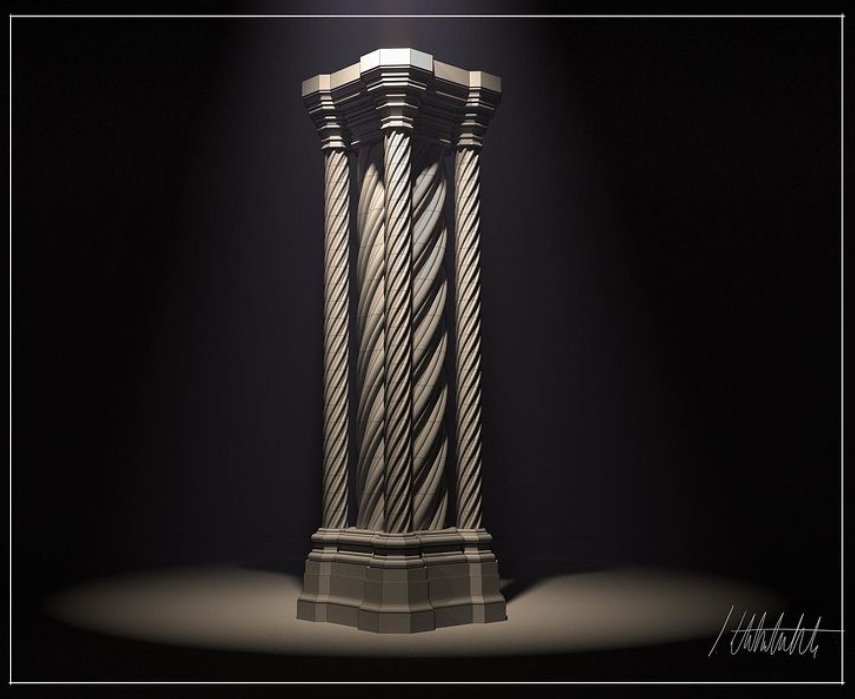
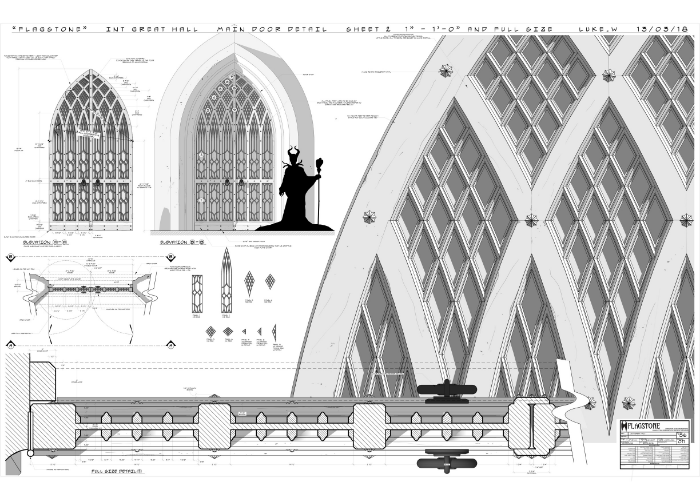
V-Ray rendered image from a recent Luke Whitelock’s set design

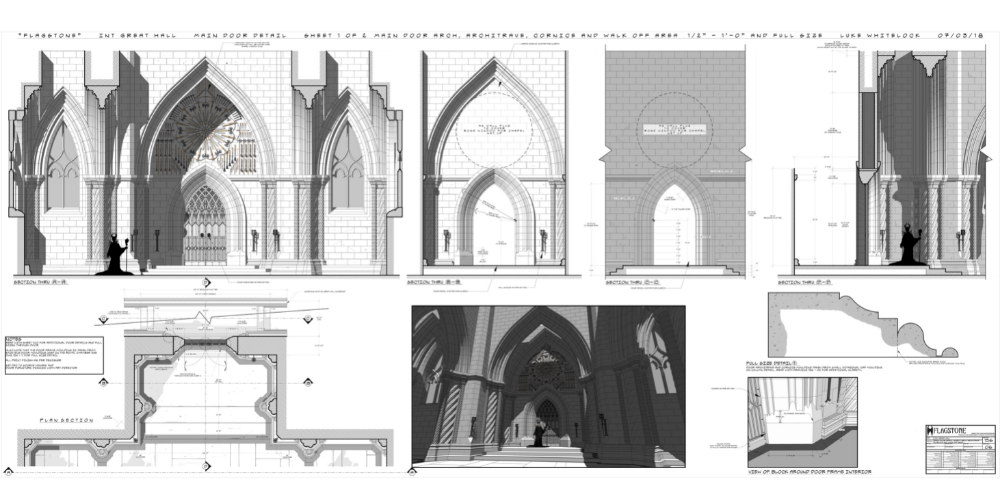
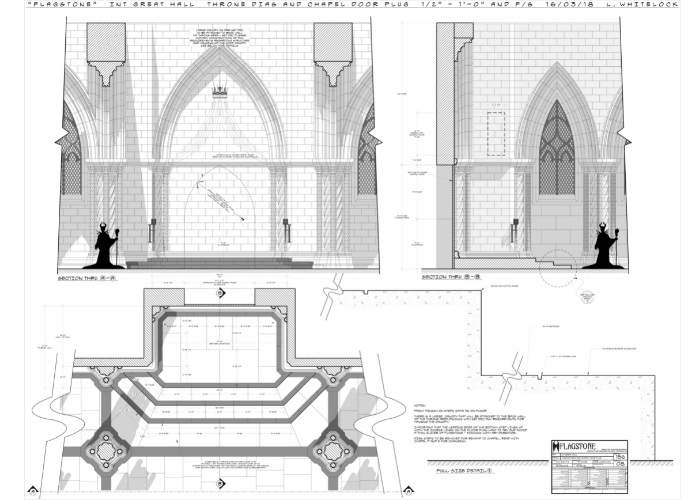
Maleficent: Mistress of Evil Stage Design

Luke, how do these 3D modelling & Rendering platforms help create stage and location builds?

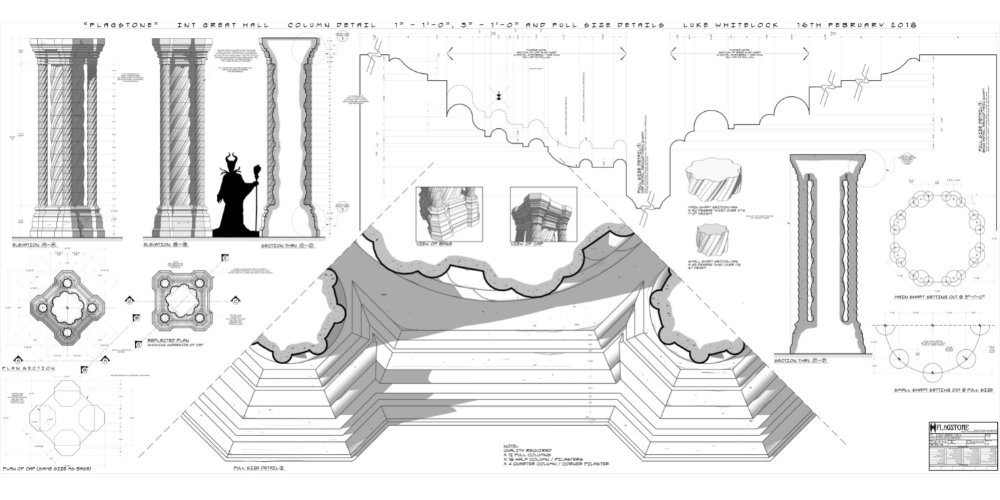
I use a range of features on SketchUp and V-Ray to create my stage builds, it really depends on the type of designs I am creating. Since 2012, I decided to exclusively use SketchUp and Layout to create all of my construction documents which makes it incredibly easy and simple to showcase my designs to the team.


I also use various plug-ins (including V-Ray), I love that when I am stuck, it’s usually pretty quick and easy to find a plug-in that will do what I need to do to create world class designs.

The work we did on "Maleficent: Mistress of Evil" really pushed the boundaries of my skills and allowed me to develop my knowledge and SketchUp ability.

A Sneak Peak into Disney’s ‘Maleficent’ Set Designs 

The work above is my proudest moment as a designer so far, the work we did on “Maleficent: Mistress of Evil” really pushed the boundaries of my skills and allowed me to develop my knowledge and SketchUp ability.

I’ll block everything out quickly on SketchUp and move across to layout almost immediately where I then set up my drawing views (plans and elevations etc) that way, as I go back to SketchUp and add more detail, the drawing in layout takes care of itself. Once the initial Sketch is done, V-Ray creates a smooth transition from Sketch to render, keeping the design realistic and bringing my set designs to life.

Great, so why did you start rendering?

I first started using V-Ray as I saw a colleague using it and it looked like they were getting great result. It’s still a new feature to my designs but I love it, I wish I used it more.

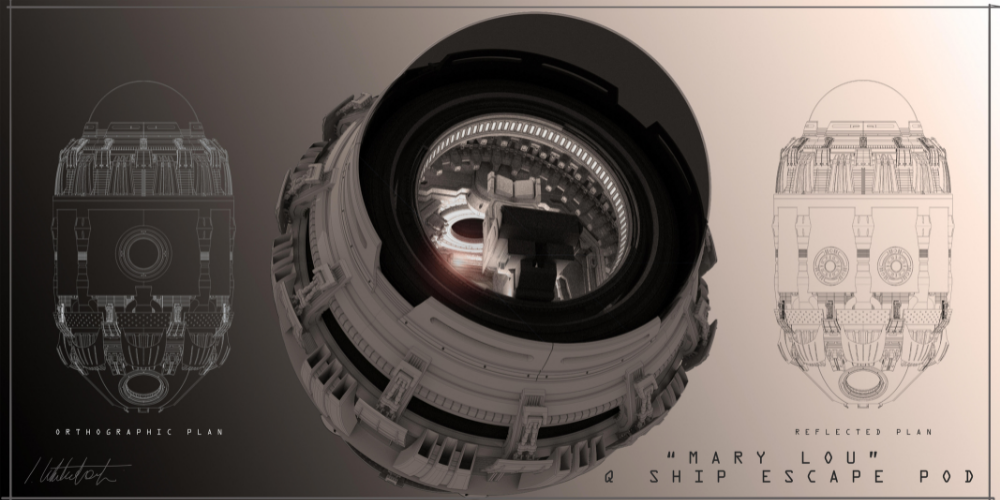
You see, renders are normally the work of concept artists, that being said, I love using V-Ray and bringing my designs to life. I will usually create some white clay renders when I can.

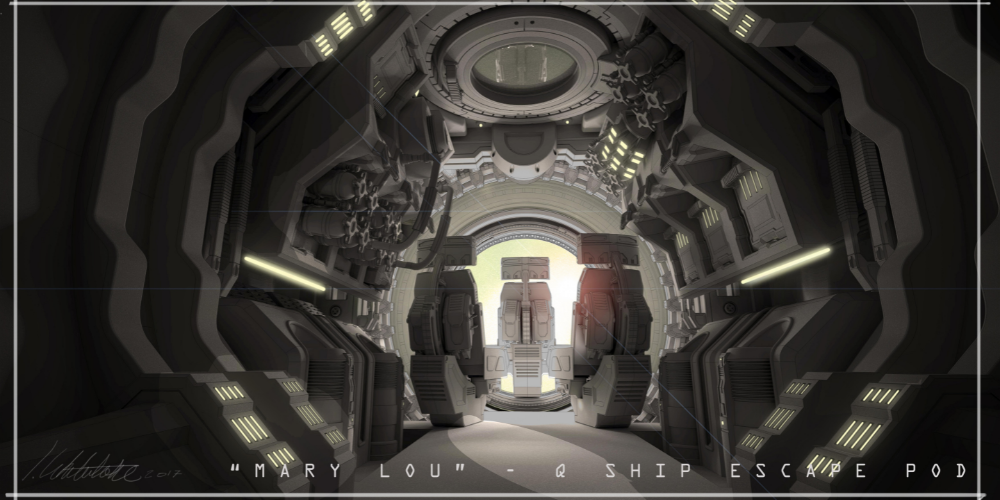
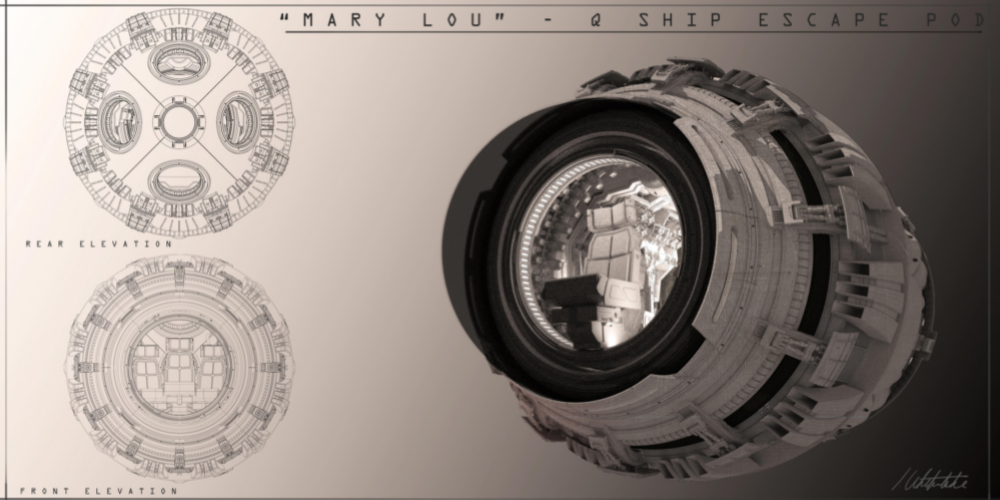
“The Q Ship Escape Pod” Rendered as final pieces to take to the feature film team before they get to work


I have recently used V-Ray extensively on “The Batman” and “The Sandman” unfortunately I am not able to share those images as yet. So I have shared some SketchUp designs and renders of previous feature sets and stage builds.

Up and coming releases, sit back, grab some popcorn and get excited for 2022!
Think you can create simplistic, realistic designs for your clients and save hours on creating your clients dream masterpieces? Give SketchUp Pro a try for free for 7-days here!

So who is Luke?


Our brand new SketchUp top trumps give you a speedy breakdown and the 411 on everything you need to know about Luke…


From where he calls home in the digital design space, to his secret SketchUp power, you’ll find the ins and the outs of his SketchUp Journey here…


If you want to have a personalised SketchUp top trump made for you, email us at marketing@elmtec.co.uk and let’s get the ball rolling! 

Detailing out an efficient design-build workflow

From commercial to residential builds, Scott Miller from Remington Development Corporation uses the SketchUp suite of tools to perfect the conceptual design process. Learn how this SketchUp pro uses his skills to help move design-build projects forward for the large, Canadian-based real estate development company.

Give us a little bit of background on your role(s) over the past several years.

I am an architectural designer and have been in the industry for over two decades. I’ve worked for several real estate development companies, earlier as an intern architect with Dialog and IBI Group, and now with Remington Development Corporation, where I’ve designed over 100 buildings. At IBI Group, I was responsible for concept design and project management, working on 20 to 30 projects that facilitated concept design all the way to design documentation and construction administration. At Remington, I work with a team of brilliant individuals and focus on the conceptual design phase, investigating development opportunities on various land types, or preparing proposals for leasing opportunities.

In my current role, timing is critical, so I rely on several different tools in and outside of the SketchUp suite to execute accurate and timely proposals. The software contingent I use daily includes SketchUp Pro, Sefaira, V-Ray, and Adobe Photoshop & Illustrator.

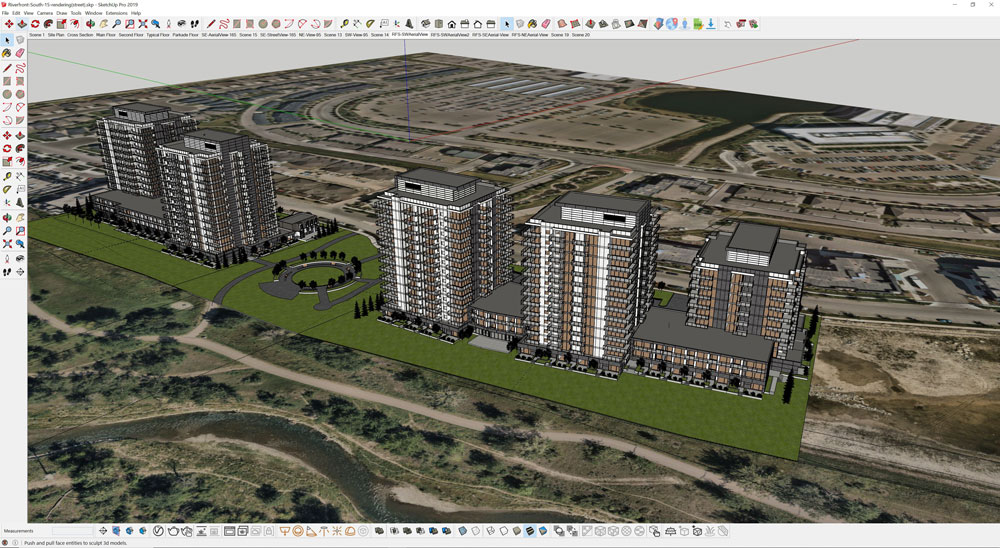
Concept planning for Quarry Park Riverfront projects. Modeled in SketchUp and rendered using V-Ray.

How long have you been using SketchUp, and why do you choose to continue using it in your projects?

I’ve been using SketchUp since 2008! I started out using SketchUp’s basic functionalities to get design ideas out quickly. Over the years, I advanced my skills and learned how to use SketchUp for building design, site plans, and master plans. Having mastered my workflow and various shortcuts, I significantly increased my efficiency.

“SketchUp is a very intuitive software that helps me expand on ideas, which is why I continue to use it. It enables me to offer our internal group and clients multiple design options quickly. I also use it to help our construction group understand the costs associated with the proposed designs while ensuring we meet local regulatory building codes.”

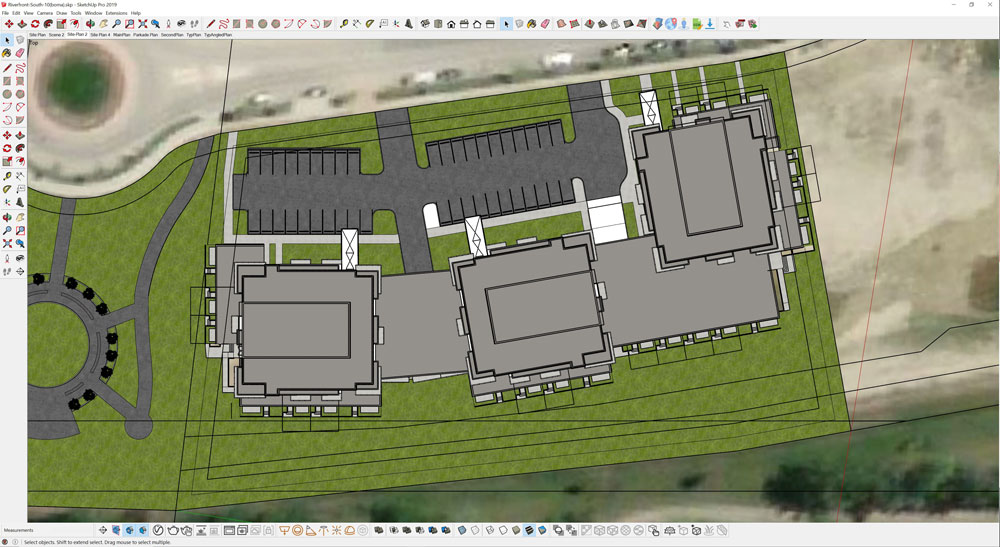
River Front Plans to depict unit density, floor area ratios, and parking requirements for the sites. Modeled in SketchUp.

What does your typical workflow look like?

Over time I’ve honed my workflow and, in turn, have become a faster modeler. Typically, my design-build workflow starts with an idea or concept. This concept is then tested relative to a site and is  developed into floor plans, a massing model and then a model that’s suitable for rendering. Depending on the project, I may start modeling with a typical floor and transition to a main floor base with parking below, for say a residential project. For an office building a structural grid and parking lot may drive the modeling process. But for all projects a concept is foremost and SketchUp helps me to illustrate that idea quickly. 

Detailing my overall workflow process, I mainly create massing models, which are not too intricate but are still based on real-life building systems. From there, I import a site map and 3D Warehouse models which saves some time building out the surrounding context, such as roads, foliage, and furniture. The Placemaker extension is very helpful for populating the models with the site context. And all these steps help ground my model into its real-life surroundings. For more complex sites, contours from a survey are used to develop a terrain model that can inform the initial design process.

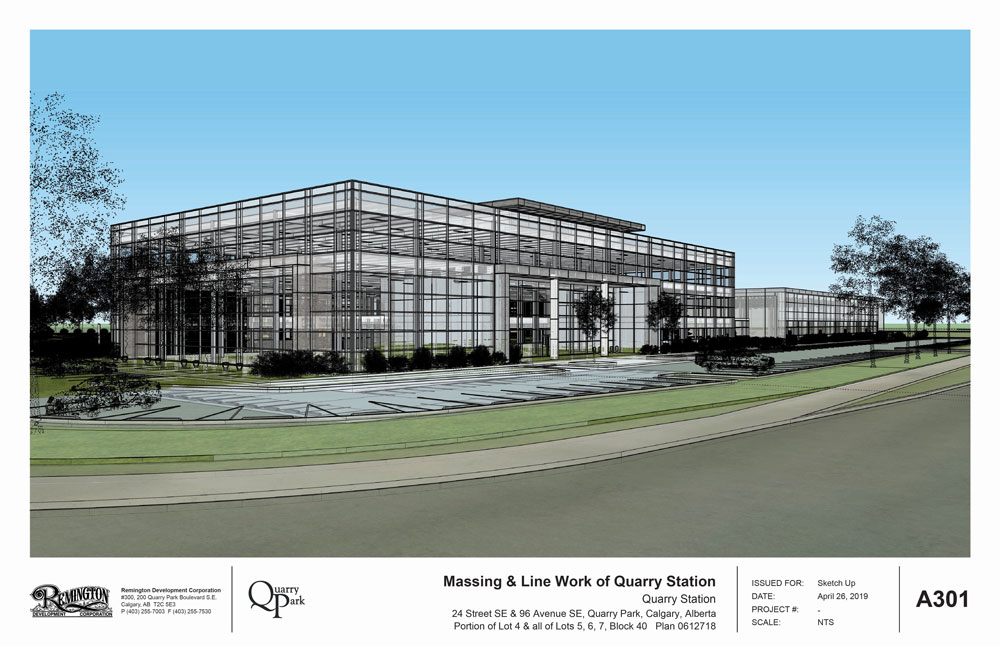
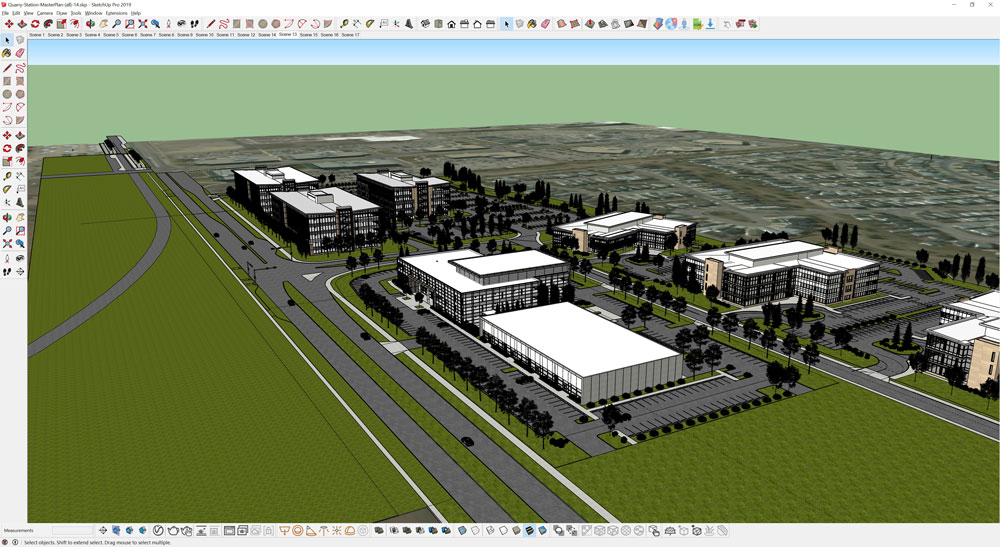
First image: Quarry Station concept model. Second image: Linework export overlaid on rendering.  Modeled in SketchUp and rendered using V-Ray.

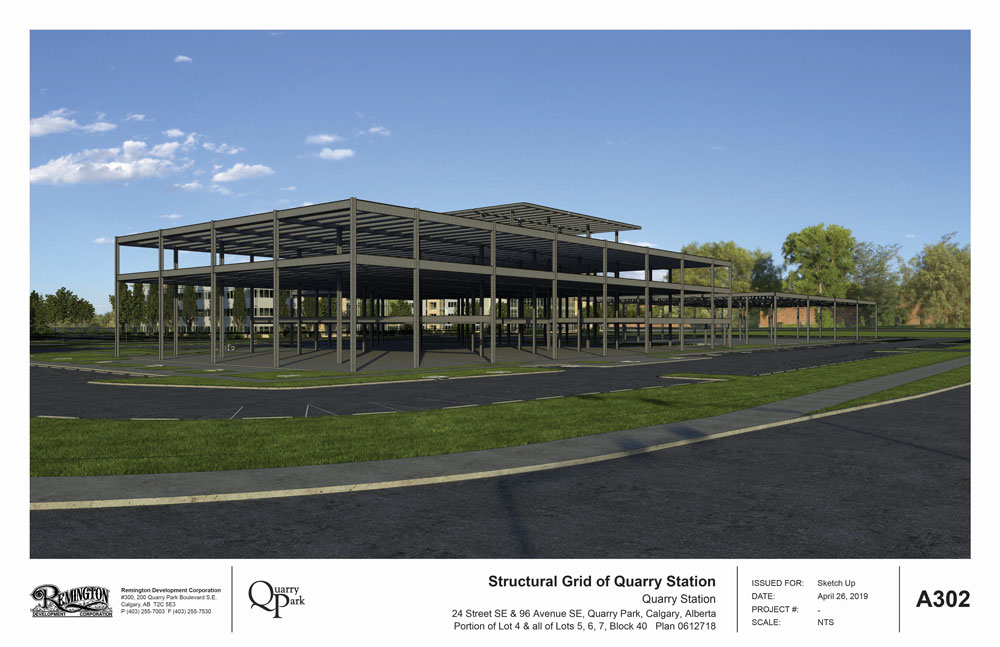
Once the 3D model is built, a structural grid is implemented, usually with a blindside call to the engineers at RJC, and details are added to the project based on real world-building requirements. This helps me determine the cost of the project. Area take-offs and volume of materials required, such as concrete for the building’s foundations or areas of vision glass, are used to develop construction budgets. On top of that, I use SketchUp to review the location and dimensions for doors, stairs, and windows to ensure the buildings I am designing are up to building code standards.

Quarry Station concept, structural grid, and façade options – modeled in SketchUp and rendered using V-Ray.

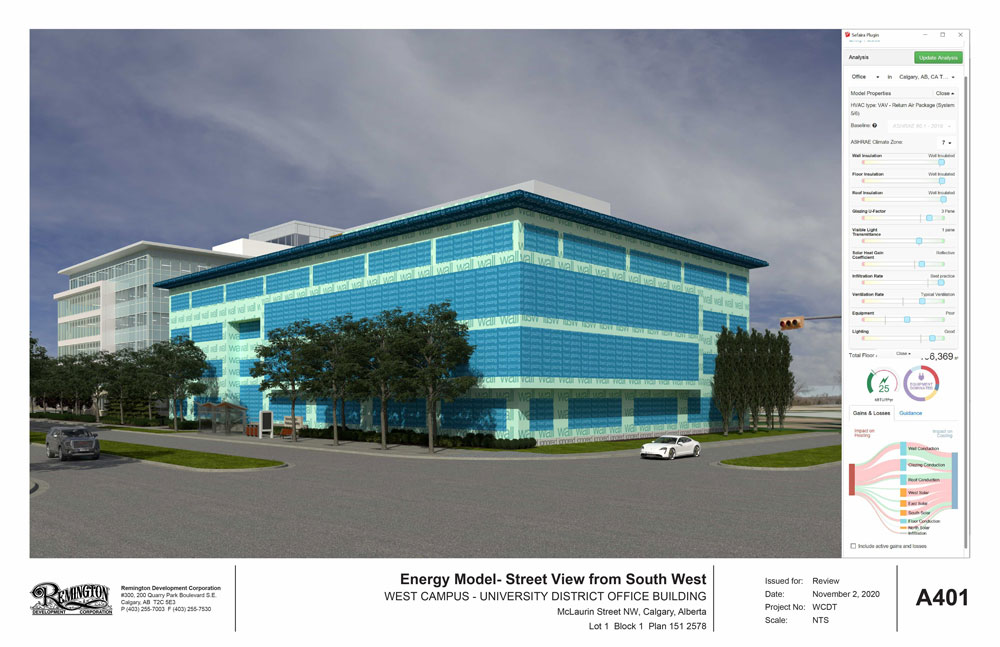
Another benefit of using SketchUp is the ability to use Sefaira. During the conceptual stage, I assign values to walls, windows, and the foundation to review compliance with our national energy codes. Although these are high-level numbers, they give me – and our group or our client – a rough idea of the energy consumption based on the location’s climate that can affect the materials proposed. The analysis provides a basis to start discussions with, in this case, our sustainability engineers. We are able to identify where we may have issues with energy loss through the building envelope, what our equipment/lighting power requirement limits are, or minimum values for the construction assemblies and glazing systems. Once this building performance analysis is complete, it is sent to our mechanical engineers.

University District Office Building with Sefaira analysis.

Once the design develops, I render it all in V-Ray, which, thanks to a four GPU Boxx computer, can be done in minutes. My team pulls these renders into proposals or presentations for the client’s review. For people that aren’t used to CAD or 3D modeling, the rendering really helps them visualize how a building will look when it’s complete, which is ideal for getting approvals or conveying design intent.


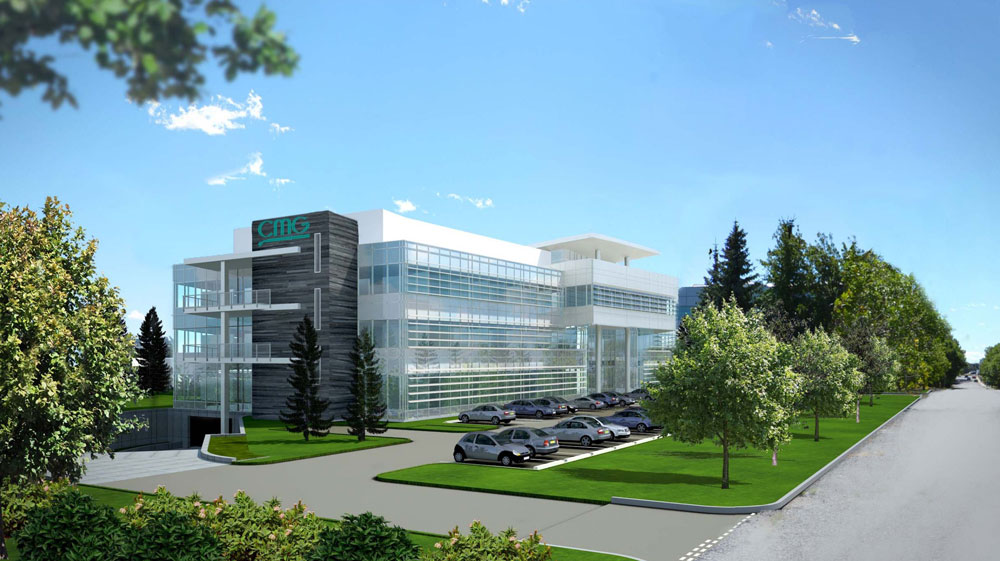
V-Ray rendered images and construction images for the Computer Modelling Group – CMG Building (Courtesy of IBI Group).  Modeled in SketchUp and rendered using V-Ray.

“Most projects are time-constrained so with SketchUp, V-Ray and Sefaira I can do all of this fairly quickly and offer up different design options in real time. SketchUp also enables me to do details in 3D that can assist in constructing the building or relaying construction assembly to our client.”

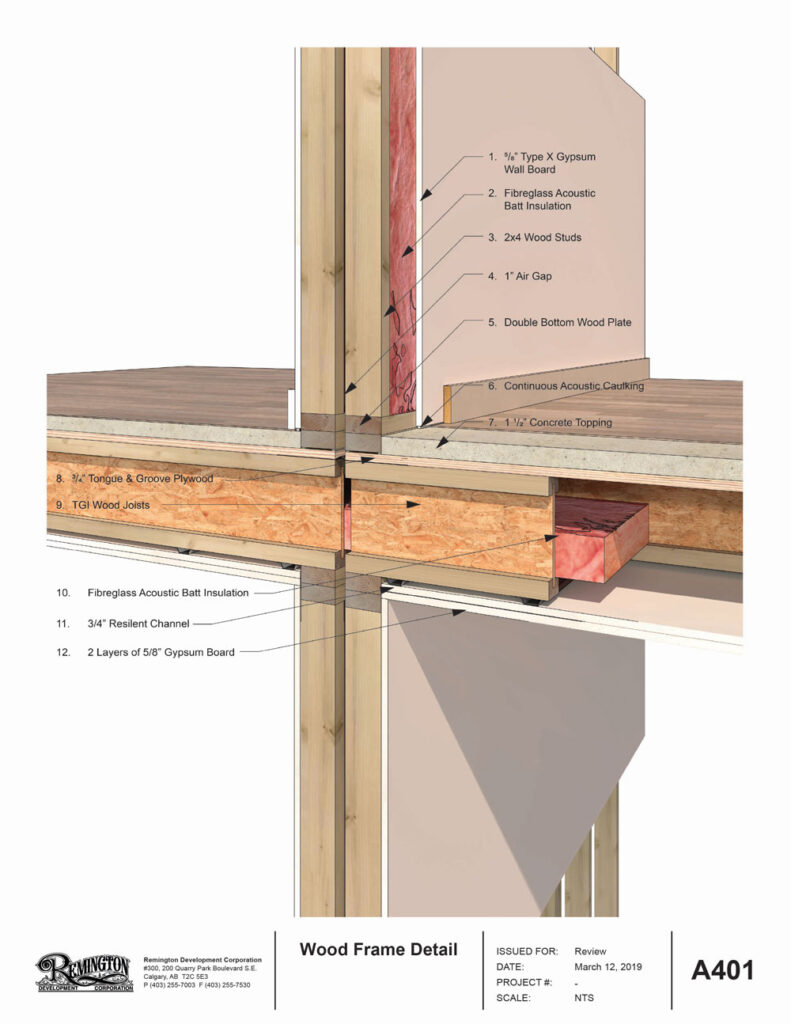
Multi-family wood frame detail.

Diving a little deeper, has Sefaira helped save you money, or helped you choose one material or shading type over the other? 

Generally, compliance with these energy codes costs us money, but the benefit of Sefaira is that we can see which systems need attention so we can place our efforts in the proper areas. In terms of materials, Sefaira helps us select materials and justify the use of a particular system. For example, Sefaira showcases the benefits of using a good glazing coating and how it can contribute to a more energy-efficient building, which can justify the added expense compared to upgrading the mechanical system. Similarly, when we look at wall assemblies we can see directly how a well-insulated wall, roof, or floor assembly can contribute to building energy efficiencies.


How do you collaborate with your entire team?

Each member of our team has a different role in a design-build project. Although I am responsible for the conceptual design phase of these buildings, we also have team members that do not have a working knowledge of SketchUp or CAD who help pull together the presentations based on my work in SketchUp and V-Ray. Additionally, we have a team of architects and engineers that help us interpret our needs for structure, mechanical, electrical and even energy analysis that we started in Sefaira, which can impact the process and lead to further design iterations. With more recent energy codes, energy consumption will need to be considered at the concept stage. We all work together, in different programs, with the initial design starting from SketchUp. CAD files are exported from SketchUp or the SketchUp file is cleaned up so that it can be imported into other 3D software that our architects can use to generate development & building permit drawings.

Aerial views of Quarry Park with Quarry Station Sites (foreground) rendered. Modeled in SketchUp and rendered using V-Ray.    

What are some benefits you get from using SketchUp, V-Ray, Sefaira in concept design?

“Being able to quickly and intuitively pull together detailed design projects in SketchUp is key for my role. This is something that has always impressed me, taking an architectural idea, modelling it and sharing it. Add on the ability to photo-realistically render my 3D models and review energy consumption, and it’s the perfect combination to help us win contracts, get sign off on projects from clients, and get building approvals from city officials.”

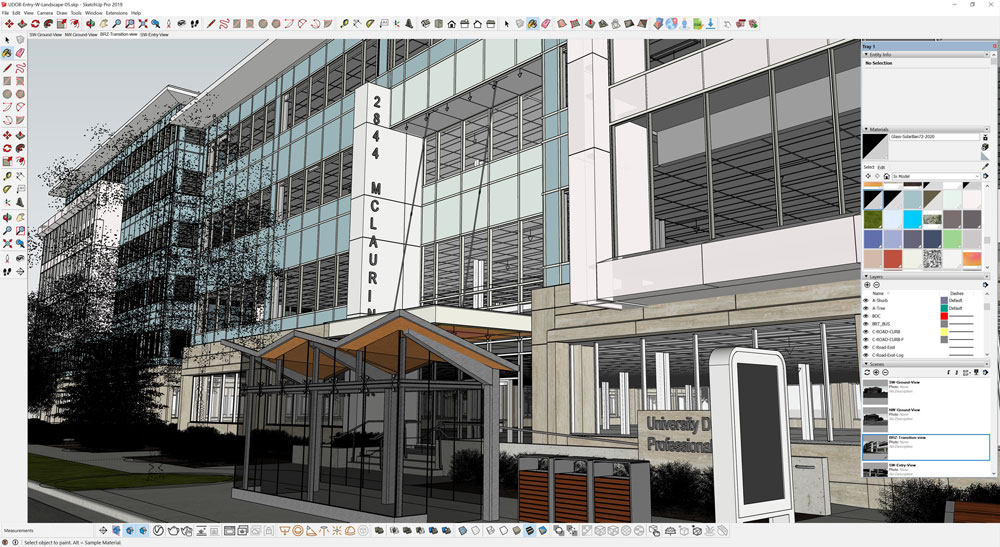
University District Office Building entry renderings used to illustrate the transition of the entry to the transit stop for development permit approval.  Modeled in SketchUp and rendered using V-Ray.

What’s next for you and your team? Is there other technology you’d like to explore?

We have several land holdings and I look forward to designing new master plans with realistic and functional projects. Working with a high performing team (shoutout to Randy, Cody, Jamie, and Ryan) at The Remington Group makes this work fun and rewarding. I really look forward to doing some larger multi-use projects here in Calgary and Edmonton or elsewhere.

Here’s another look into a couple of our projects over the years:

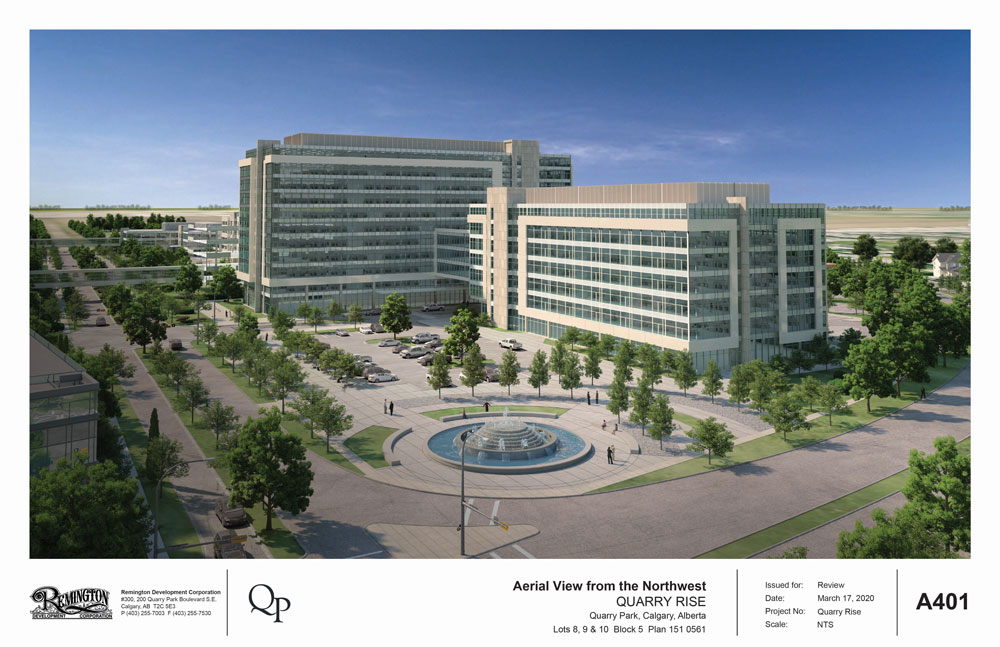
Quarry Rise images modeled in SketchUp and rendered in 3ds Max. (Courtesy of IBI Group &  RKA Visual)

Lido rendering and final site photos. (Courtesy of Battistella Developments & IBI Group)  Modeled in SketchUp and rendered using V-Ray.

Discover The Black Friday Magic Behind The SketchUp Scenes

25% Off Your SketchUp Pro Subscription

From Thursday 26th November until Friday 3rd December 2021, you can receive 25% off your new SketchUp Pro subscriptions.

You Can also receive 20% off any new V-Ray for SketchUp subscriptions from 26th November to 29th November 2021. 

As an early Christmas present on us!🎉

This can be applied to new SketchUp Pro 1-year subscription or a 1-year V-Ray for SketchUp subscription when you contact one of our authorised resellers here. (Terms and Conditions Apply)

SketchUp Pro 2021

SketchUp Pro is 3D Modelling software that proves simple is powerful, offering the most intuitive way to design, document and communicate your ideas in 3D. SketchUp Pro has long been used by professionals in a range of industries – architecture, construction, engineering, landscape architecture, kitchen & bath design, urban planning, film & stage, and woodworking. SketchUp is the intuitive, all-purpose antidote to complicated, expensive CAD software.

Interoperability

SketchUp slots into any workflow and plays nicely with other design tools.

Extensibility

Extension Warehouse contains over 400 plugins that layer additional tools and features on top of SketchUp. Free and paid plugins are available for industry-specific workflows such as rendering and 3D printing. Elmtec sells a range of productivity and rendering plug ins such as V-RayEnscapeSkatter, and Profile Builder.

Present and Document

SketchUp Pro includes LayOut a powerful 2D illustration app for the creation of professional drawing sets, construction documents and screen presentations, all dynamically linked to SketchUp files.

Inferencing and Customization

Accuracy and speed plus personalization of any design project to make it your very own.

Why V-Ray For SketchUp?

Visualize designs in real-time

Now with V-Ray Vision, you can visualize your designs in real-time while you work in SketchUp. Move around your model, apply materials, set up lights and cameras—all in a live real-time view of your scene. And when you’re ready for photo quality renders, V-Ray is ready to go.

Lighting made easy

Adjust the lights in your scene even after you render. With Light Mix, once your scene is rendered, you can interactively adjust the brightness and colour of any light without having to render again.

Add randomness for realism

To create more realistic materials, new tools have been added that randomize textures and colours. The VRayUVWRandomizer lets you randomize texture coordinates and includes Stochastic Tiling that automatically fixes repeating textures. Built-in controls have also been added to the VRayMultiSubTex material to randomize colours.

Improved Sun and Sky model

Render your scene at the perfect light of magic hour. The Improved Sun & Sky model is more accurate, with a better-looking sunrise and sunset, even as the sun dips below the horizon.

Optimized V-Ray Core

V-Ray 5 is the fastest and best rendering experience yet.

New software architecture

Much faster scene loading and scene export thanks to the newly refactored V-Ray backend.

Post-process your renders right in V-Ray

V-Ray 5 features a new V-Ray Frame Buffer. With built-in compositing, you can make colour corrections, combine render elements and save them as pre-sets to be used in future—all without needing another app.

New layered V-Ray material

The V-Ray Material now includes built-in Coat and Sheen layers. Coat makes it easy to create materials with reflective coatings like varnished wood, and Sheen makes it easy to   fabrics like silk, satin, and velvet.

Improved contour rendering

The global Contours control gives you more control over linework, making it easier than ever to give your renders an illustrative look.

Dirt and weathering

Give your SketchUp models a weathered look with the improved V-Ray Dirt texture. Add dirt and streaks anywhere—in corners or across entire surfaces.

New documented API

For developers looking to create and connect tools with V-Ray for SketchUp, there’s a new fully documented API to make it as easy as possible.

Send an email to sales@elmtec.co.uk for more information on 20% off V-Ray for SketchUp and/or 25% off a SketchUp Pro 1-year subscription.

Innovative, Modern Homes in Vietnam with LimDimHouse Studio

We spoke to Mai Tran, who founded her practice, LIMDIMHOUSE Studio three years after graduating with a degree in architecture. Based in Hue, Vietnam, she discusses her unique design style combining traditional Vietnamese elements with modern touches. We deep-dive into her very Instagram-worthy project, Jalousie house, which is making waves on international and local architecture blogs. 

All images courtesy of LIMDIMHOUSE Studio unless otherwise stated.

Peek inside the Jalouise House, and see how LIMDIMHOUSE created an airy oasis in the heart of Hue, Vietnam. Video courtesy of chimnon studio.

Tell us a little bit about yourself.

I studied at Hue University of Science, majoring in architecture. After graduating in 2014, I worked at an architecture company in Ho Chi Minh. I started my own practice in 2017 to pursue my passion for creating iconic residential building designs using my ideas and styles. 

We’ve seen Jalousie House on several architectural and design websites across the web. Tell us more about it. 

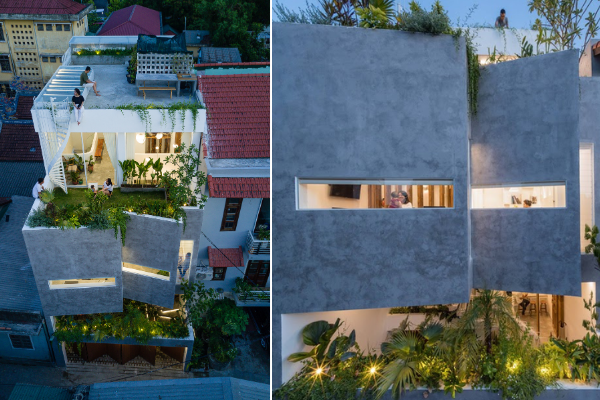
There wasn’t any brief, except that it’s going to be a homestay residence. Therefore, we designed it to be a comfortable environment for people to feel imaginative and free. It was also somewhat essential that every area was Instagram-worthy, making it an inviting, creative place that people felt at home in. I was also particularly passionate about making it adaptable to the climate and location. 

A unique yet simple folding façade contributes to the building’s unique shape, making it easy to spot this homestay residence!

Houses in urban areas are built side-by-side, creating a high probability of poor air-circulation and light distribution. We also have high rainfall in Hue. We used folds and layers to create gaps for ventilation and water-proofing in response to this context and its associated climate. 


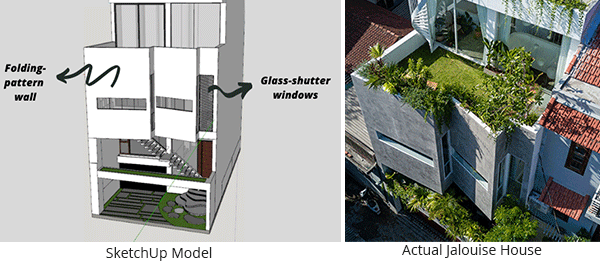
SketchUp model of the Jalouise house, featuring its unique folding-pattern wall and glass-shutter window in comparison to real-life image of Jalouise house.

Folding-pattern walls block out harsh sunlight from streaming into the house. Glass-shutter windows are implemented at angles to escape harsh sunlight from the shadows cast by the folding-pattern walls. 

The folding-pattern wall blocks out harsh sunlight and shields the indoors from rain, allows air to circulate in and out of the house unhindered. These folds further contribute to the unique shape of the building, making it simple yet striking. It’s easy to spot this homestay residence!

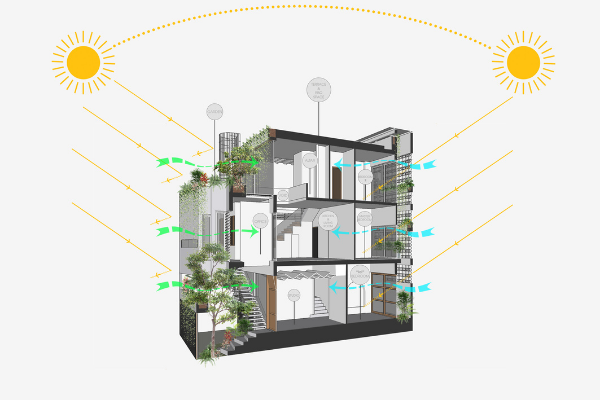
This diagram shows the sun path from morning to evening, illustrating that the folding-pattern wall blocks out harsh sunlight in the day, and the plants act as a filter to cool down the house.

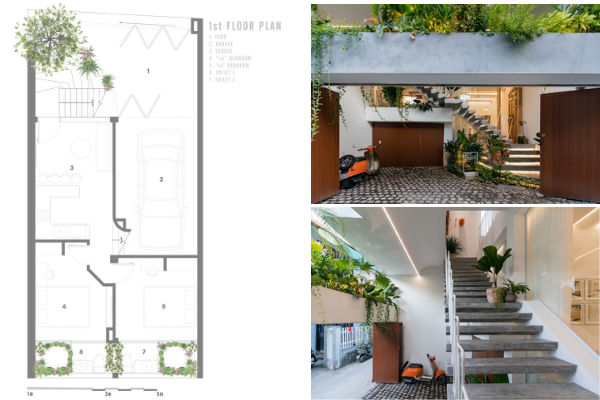
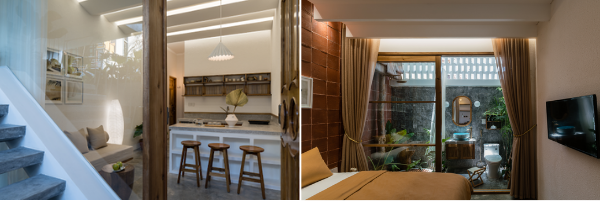
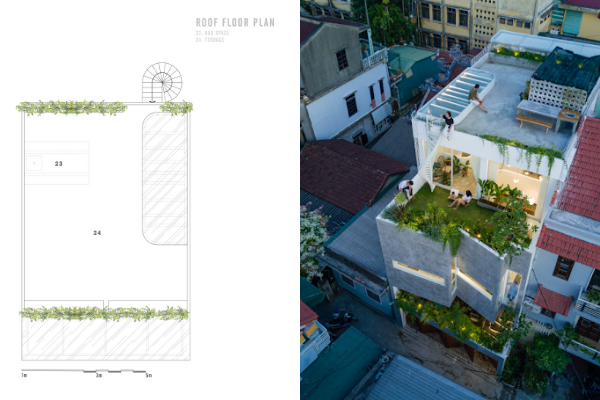
1st-story floorplan, featuring the garage, studio, and a bedroom. Woody elements bring a fusion of traditional and modern style. 

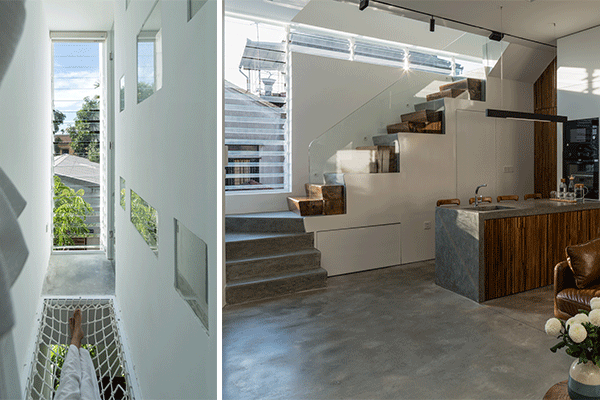
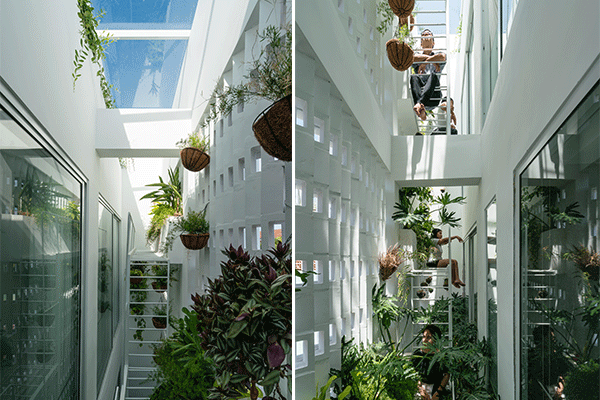
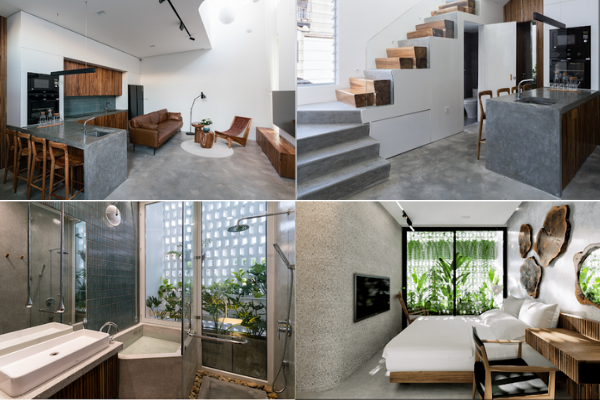
At the back of the house, we constructed an indoor garden with top lighting to take advantage of the skylight and promote ventilation throughout the house. This green layer acts as a natural air-conditioner and filter that cools and cleans the air before it flows into the home. The indoor garden also doubles its use to provide an immersive, natural experience from the bathroom and bedroom.   

The indoor garden at the back of the house offers top lighting to bring natural light and promote air ventilation in the house.

Did you perform any tests on the layering systems to ensure they would work as expected?

I didn’t do any tests; it was purely by experience and observation. I used SketchUp to have a good, overall understanding of the house based on the look and feel, flow, and design function. We used SketchUp’s Add Location and Shadow study to imitate daylight in our 3D model. This enabled us to check how shadows would fall and ensure that the louver could meet our expectations in terms of design and functionality. 

We were pleasantly surprised when our proposal worked even better than we expected. 

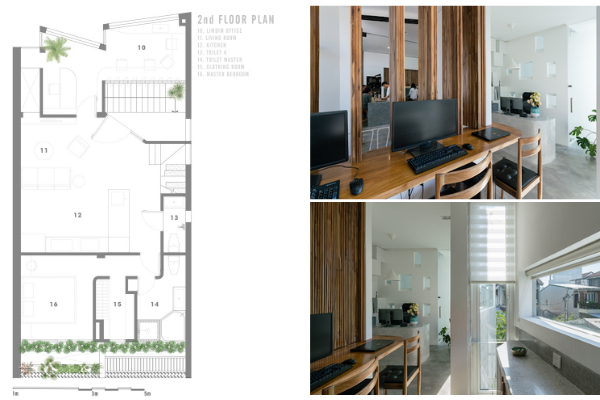
The 2nd story featuring the LimDim Office, living room, kitchen, master bedroom with an ensuite master bathroom.

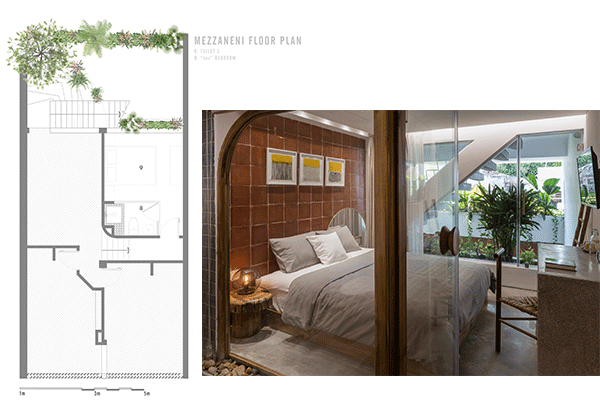
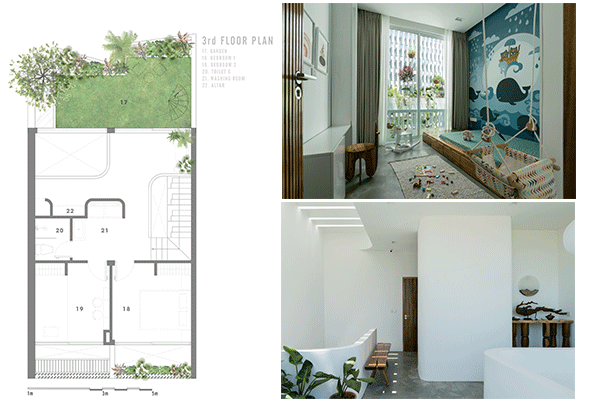
The mezzanine floorplan, features an immersive garden experience in the bedroom, with traditional-like wall tiles harmonized across all bedrooms. 

The 2nd story featuring the LimDim Office, living room, kitchen, master bedroom with an ensuite master bathroom.

“We used SketchUp’s Add Location and shadow study to imitate daylight in our 3D model. This enabled us to check how shadows would fall and ensure that the louver could meet our expectations in terms of design and functionality.”

What’s your typical workflow?

We study the urban structure of the location, and then we brainstorm ideas. Then we create 3D models using SketchUp to test, visualize and analyze the house for best design options.   

SketchUp provides fast and accurate virtual representation. It’s highly-efficient software that we can use on low-configuration computers in the office. When our team gets to the site, they can reference our 3D models and know what to do.

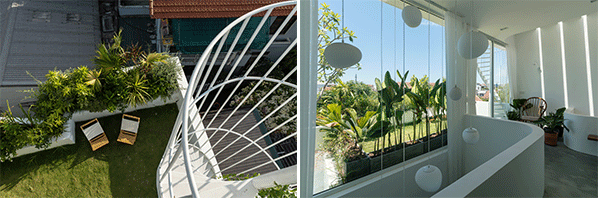
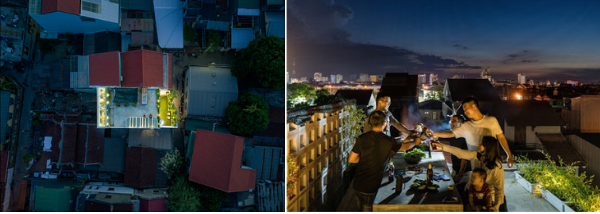
The rooftop is a place to relax and gather with friends.

“SketchUp provides fast and accurate virtual representation. It’s highly efficient software that we can use on low-configuration computers in the office. When our team gets to the site, they can reference our 3D models and know what to do.”

What are your favorite plugins?

We don’t require any plugins and only use native tools. Some of the functions we love are the ability to draw parallel lines and duplicate items quickly. It is also remarkable that SketchUp helps in the material quantity calculations and reveals details to make the construction process more straightforward. 

About LIMDIMHOUSE Studio

Established in 2017 by Mai Tran, the studio specializes in architectural design, landscape design, and renovation. Since 2015, the founder and associates have completed global collaborations with partners in the United States, United Kingdom, Canada, Australia, Singapore and more. LIMDIMHOUSE aims to bring a peaceful, airy, and soulful feel to their projects, so people have a dreamy place to chill and enjoy.

Become A Master Renderer using V-Ray For SketchUp with Scott Currie

Architecture of Calm’s most recent project, created using V-Ray for SketchUp 

We’ve been speaking with Scott Currie, Owner of Architecture of Calm, shortlisted for this years Cuckmere Haven and showcasing their incredible work at Art Wave 2021. They will be sharing an exclusive insight into how they render using V-Ray for SketchUp and some inside secrets into getting realistic designs to display to their clients.

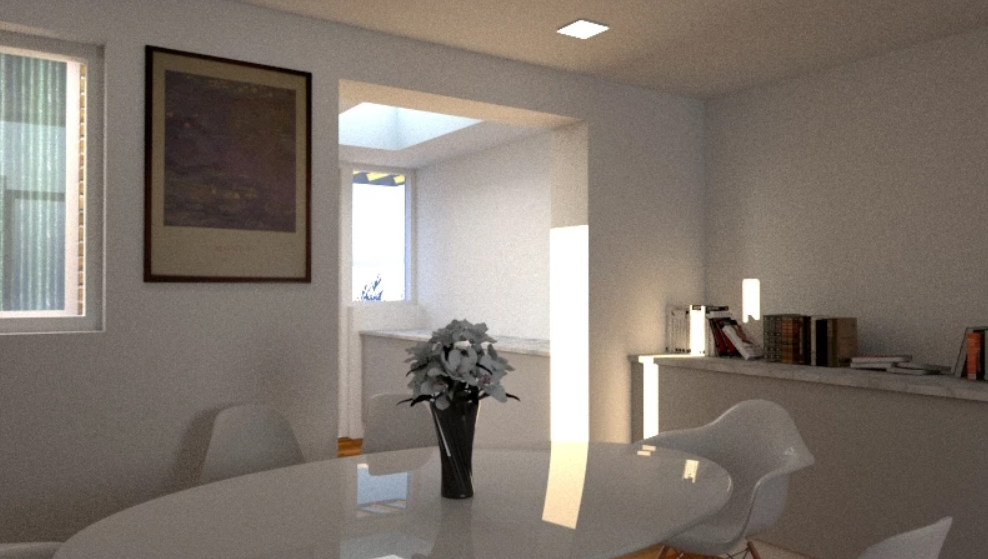
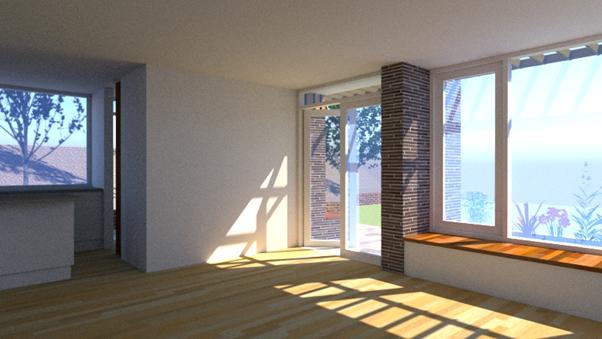
Interior Designs rendered using V-Ray to showcase lighting to a client.

For over 10 years we have worked collaboratively with Interior Designers, Engineers and on-site Construction Professionals along with our own experimentation and research, constantly testing the boundaries of modelling and rendering to ensure the outcome is unusual in the most positive way. exceptional and extraordinary, you could say.


I have used sketch-up as my only 3D modelling software in the 15 years of practicing – since setting up AoC 2 years ago I then invested in V-Ray as I was able to take the time to learn more about the features, it was always spoken about in previous practice but not necessarily utilised. Now, I cannot imagine sending projects to clients without V-Ray.

I am able to showcase not only how the buildings will look in a more realistic manner, but also how they look at various times of the day with different lighting, all while still presenting a professional and slick rendered image. 

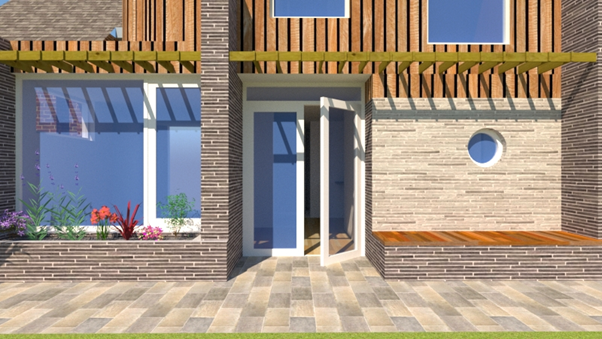
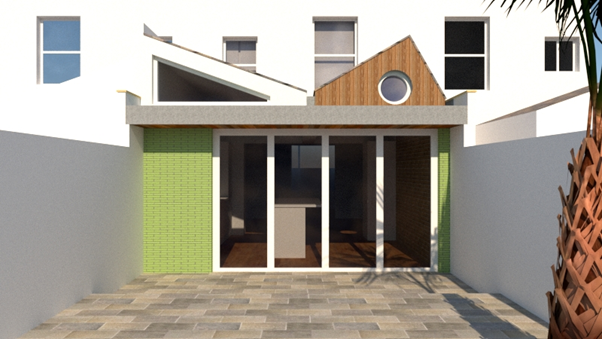
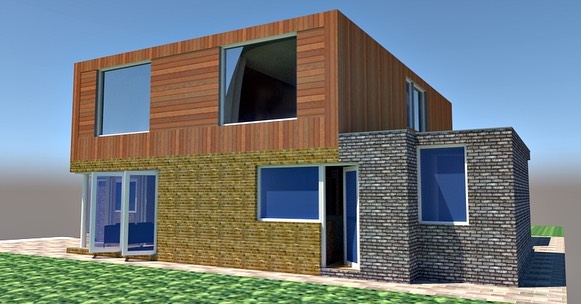
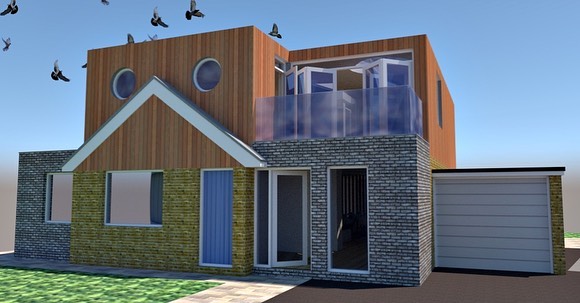
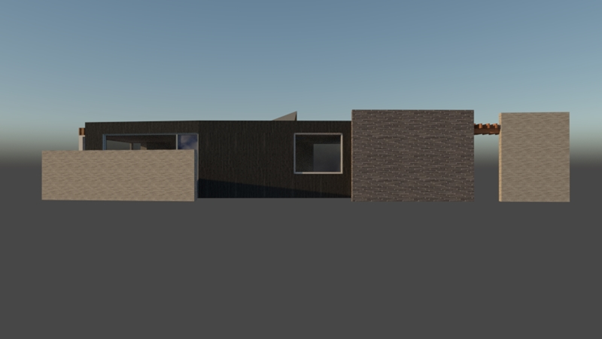
A 1960s bungalow reworked/reimagined for the way in which we live now…dormers originally explored, but resulting in the decision to remove and replace the roof space with a new timber frame box.

How do you use V-Ray in your workflow?

I usually begin with a plan or black and white drawings, which are a language in their own right, and can be misinterpreted at times, 3D images are easy to understand not only for myself and the team but also our clients. They also come in handy with planning officers and at public consultation events.

Sometimes the design process can ‘work itself out’ very quickly based on client and brief, and sometimes it takes many iterations, continuing to change on site once the design becomes a physical reality; this works well when the collaborative approach is adhered to…

Since setting up my own practice, we create 3D images for 90% of our projects.  So as you can imagine, rendering has become a massively important part of our workflow. At my previous practice a lot of 3D work was sub-contracted but I use it as a design tool in its own right, and as an exploratory tool with the client(s).

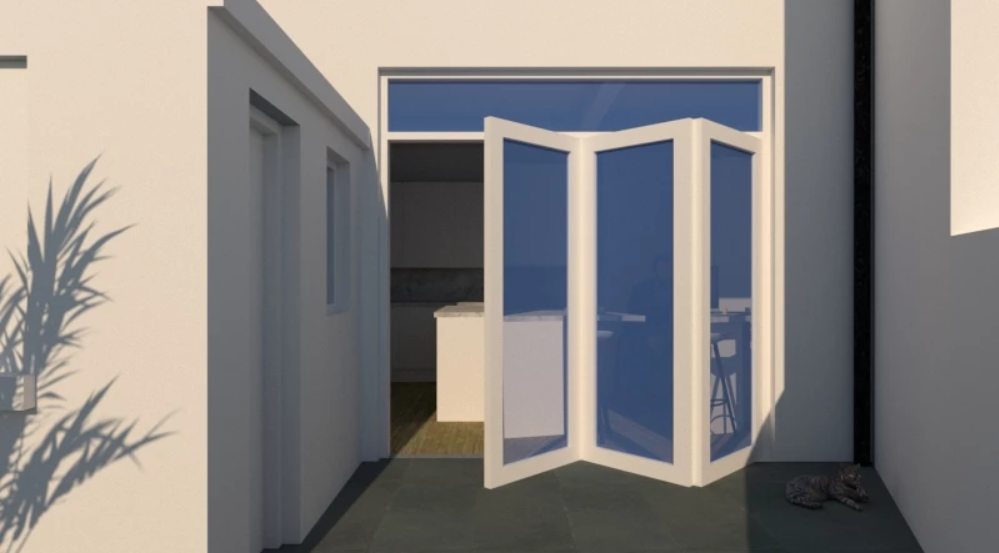
A Summer Project, experimenting with patio doors.

What has been your most memorable build?

Every project comes with it’s own set of positives, based on scale, budget, location and so on…I really enjoy the smaller re-workings of older properties, where custodianship is important and ‘time’ celebrated, allowing the old historic building to be enjoyed via new interventions for many more years…

Full restoration project using V-Ray for SketchUp

Think you can create simplistic, realistic designs for your clients and save hours as a designer bringing your clients concepts to life? Give SketchUp Pro a try for free for 7-days here!

To see more of Scott’s work, 3D modelling designs and renders, you can find him on social media here:

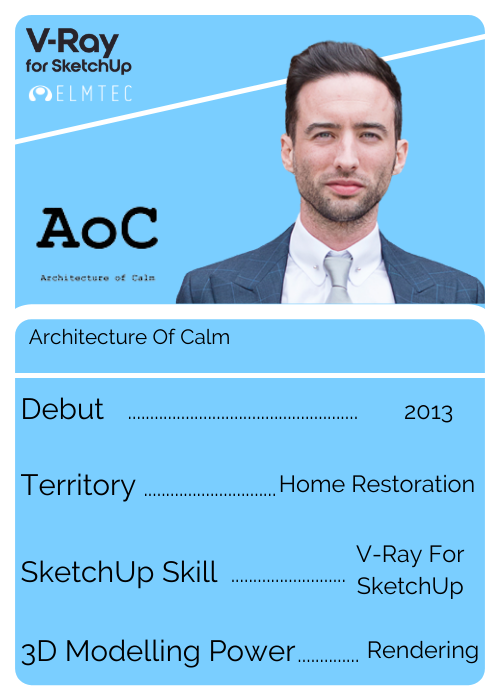
So who is Scott?


Our brand new SketchUp top trumps give you a speedy breakdown and the 411 on everything you need to know about Scott…


From where he calls home in the digital design space, to his secret SketchUp power, you’ll find the ins and the outs of his SketchUp Journey here…


If you want to have a personalised SketchUp top trump made for you, email us at marketing@elmtec.co.uk and let’s get the ball rolling! 

Using Trimble technology to streamline architecture projects

Innovator and designer extraordinaire, Bob Pineo of Design Develop LLC, a full-service architecture firm, has been working in the architecture industry for over 20 years. The firm he helps manage has offices in Charlottesville and Baltimore. They use SketchUp and Trimble technology to run and grow the business and accelerate their workflow on a variety of large and small design projects. Tune in as we sit down with Bob and the entire DD team and learn all about the company’s background, and their super-efficient process.

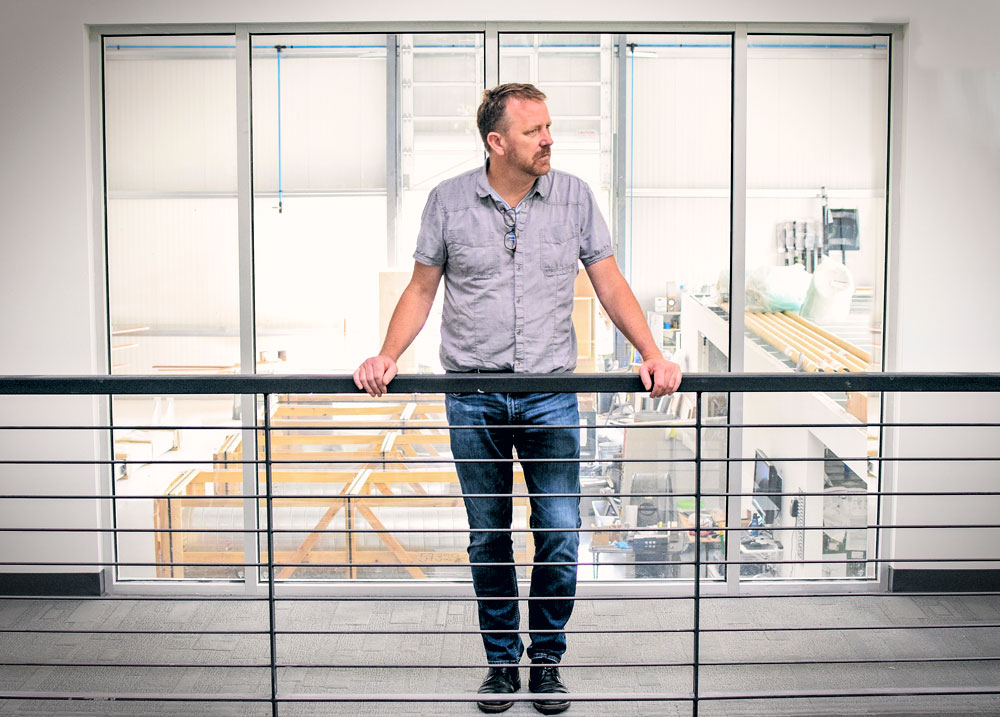
Bob Pineo at the Design Develop headquarters.

Tell us a little bit about your background and how you got started with SketchUp.

My background is in building construction, and I got more involved in design later on in my career. Around that time, I was using CAD documentation to communicate designs to clients but quickly realized most clients had a hard time understanding these technical, 2D plans. 

“I switched to SketchUp and Lumion exclusively because it helped me speak the same language as my clients — 3D. I’ve been using SketchUp for over 15 years now!”


SketchUp is such a versatile tool and allows our team to iterate quickly using direct feedback from clients. With SketchUp, I’m able to take my conceptual ideas and morph them into a design — and then update that design as details change. It’s very fluid and flexible, which is what our company needs. We also use SketchUp as a “training” tool for architects. I believe that the more you conceptualize a space and iterate, the better architect you become. There are always hundreds of ways to design something, so it’s good training to be able to explore those options.

Contrary to popular belief, I believe SketchUp is more than just a presentation tool, it’s a tool to help understand a space before we start presenting ideas.

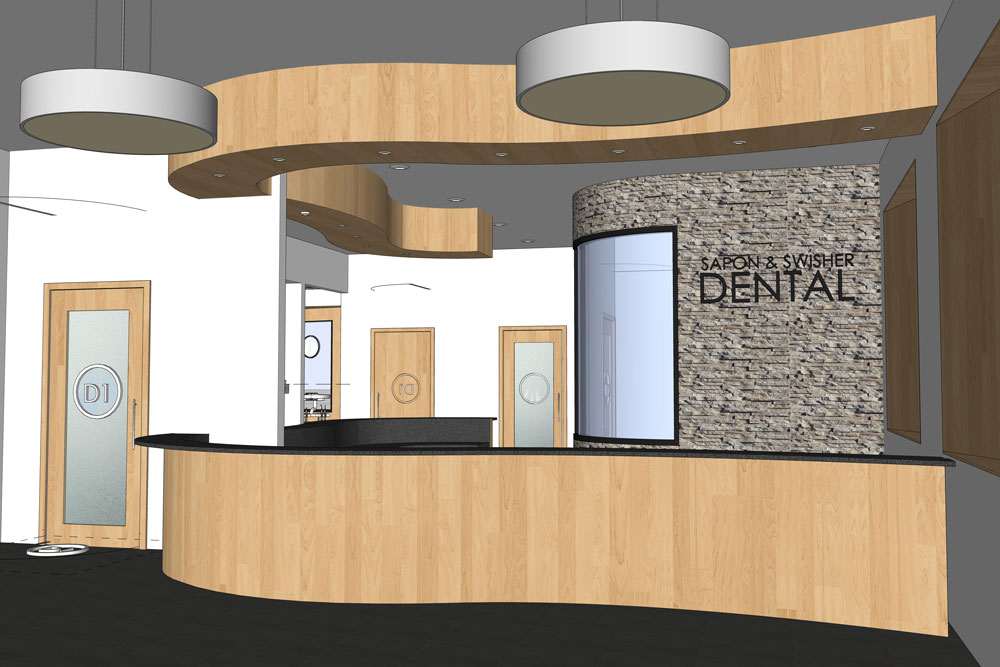
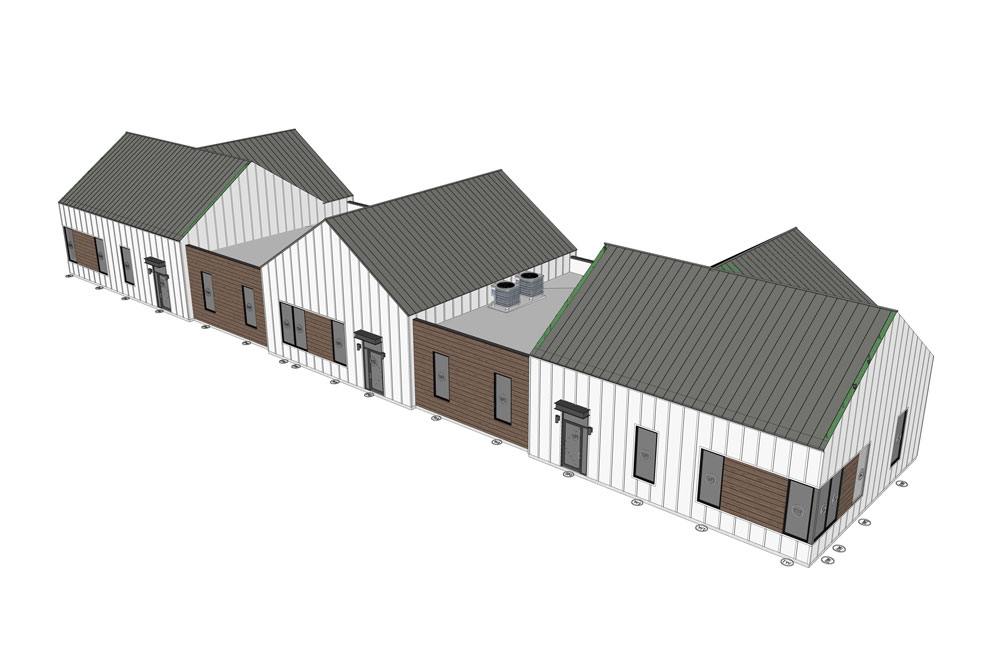
SketchUp being used on a commercial project. Project: Sapon and Swisher Dental Office.

SketchUp in action. Project: The Women’s Center.

Tell us a little bit about the company and what projects you take on.

Our company has transformed from solving one or two small design challenges to high-level graphic expressions of larger design ideas and challenges on a wide variety of architectural projects. We are innovators and technology seekers.

We also don’t have a “typical” type of project. We are all generalists. We will work on any type of project —  whatever comes in the door — from residential spaces to industrial facilities, handling all stages of involvement from city approval efforts to construction administration. We enjoy this because we get a lot of project variety and more ways to be creative. 

A wide variety of projects coming to life.

What sets your team apart from the rest?

I believe we are excellent listeners. As soon as someone wants to use an architect, it means they are incredibly invested in everything from cost, budget, time, and energy so we respect that by including them in every step of the design. We make sure they are comfortable and they understand what we are proposing. We have offices in Charlottesville and Baltimore and these guiding principles translate to success in both a small-town market and a larger, regional-based service firm.

Communicating the details to ensure a successful final build. 

Tell us about your workflow from start to finish.

As I mentioned, all of our projects are different so it really depends on what we are doing. As a shell or a guideline, here’s what our process looks like:

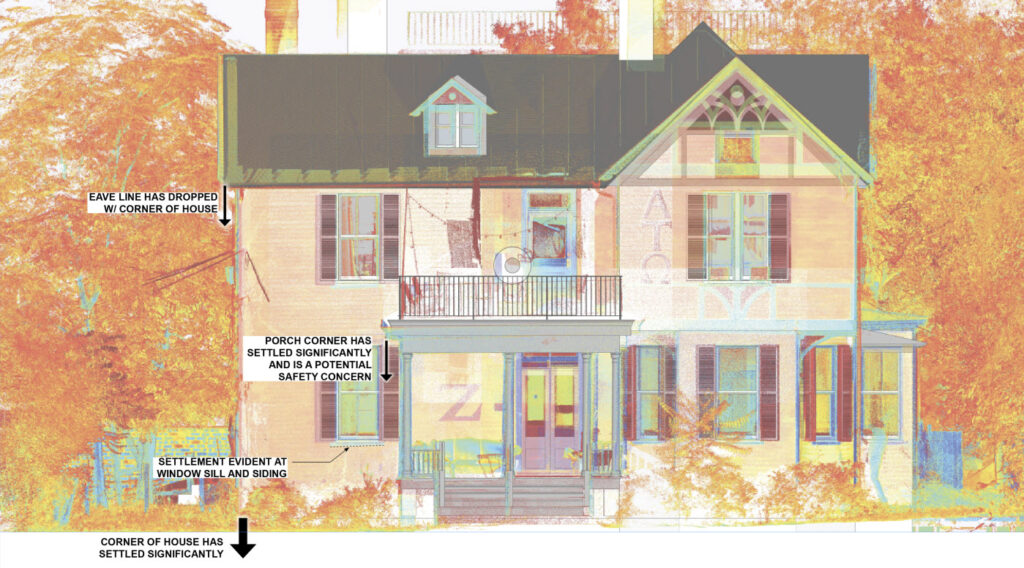
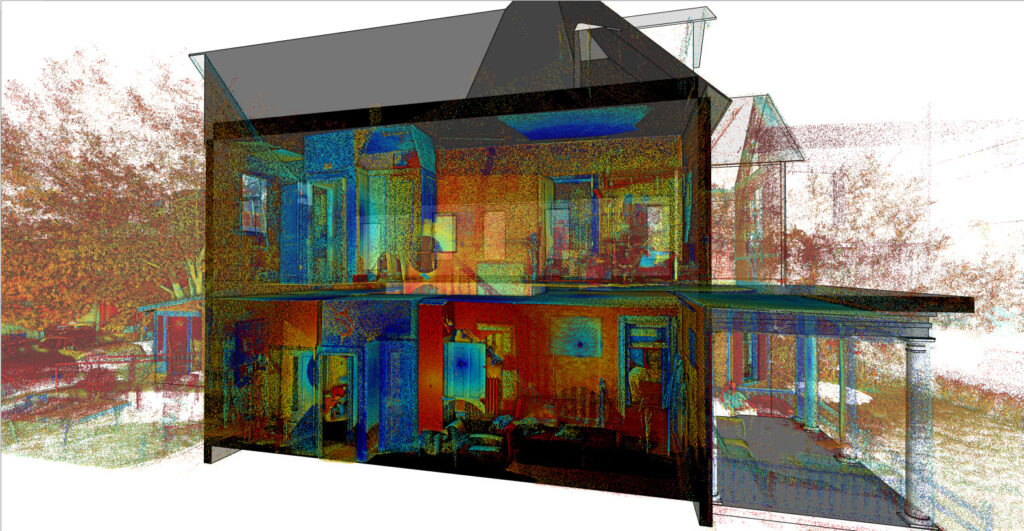
We start out by determining the timeline, budget, and design requirements with the client. Once we have a good understanding of the project, we go to the site and scan it with the Trimble X7 and pull that data into SketchUp via Scan Essentials. This is a fairly new part of our process and has saved us time and money. We used to hire this out with a third-party surveyor and we’d always have issues with the files and getting the data in a timely manner. Now we do this all in-house. We’ve even expanded our business by selling this service to other companies.

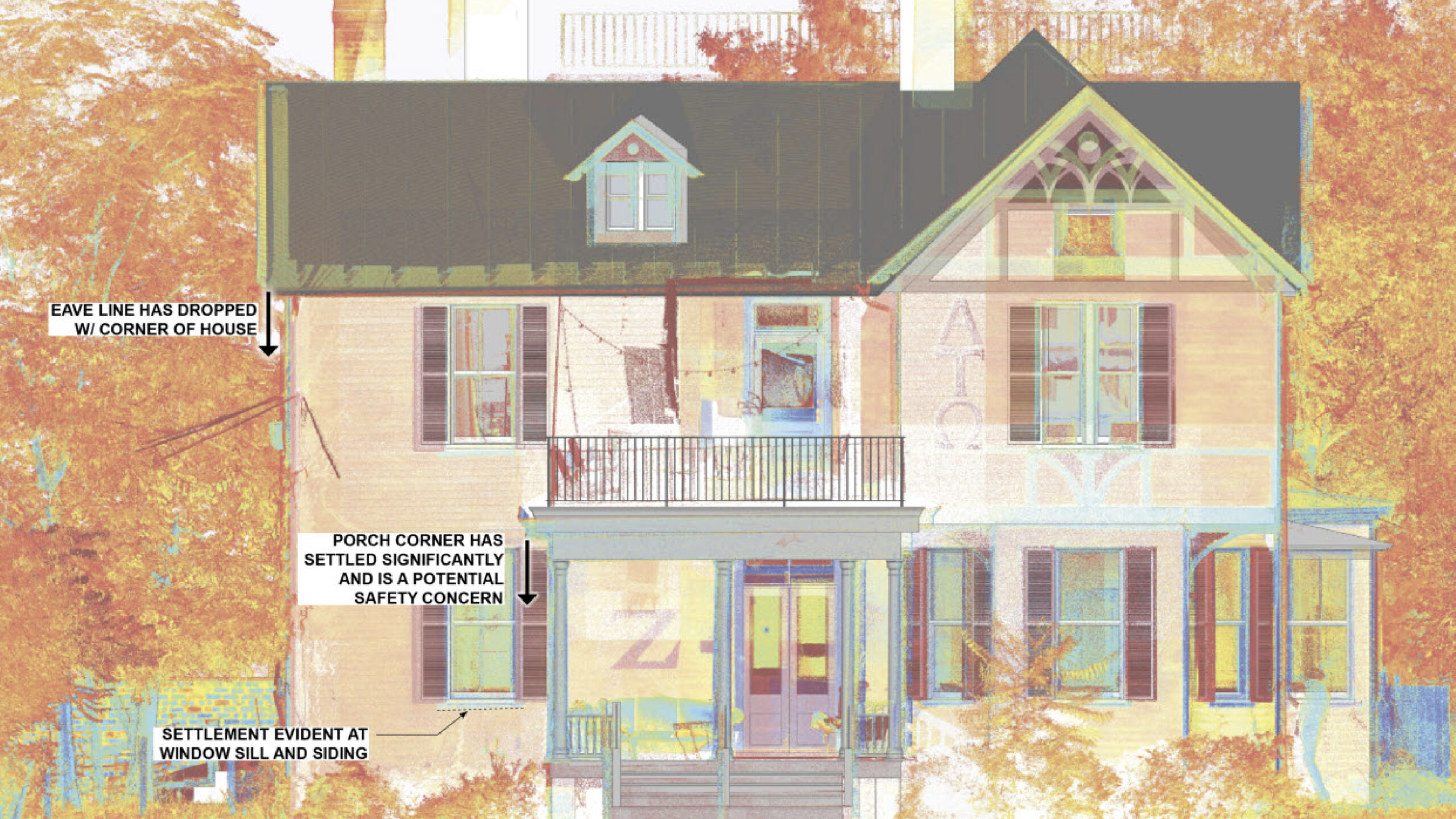
Using point cloud data to represent the as-built condition.

After importing point cloud data, we move on to the conceptual design phase. Based on the client’s requirements, we come up with a variety of design options utilizing both SketchUp and Lumion. This is a fluid, back and forth process where we work with the client to ensure the design will work for their needs. Clients start to fall in love with the concepts when they can see it in 3D. They can picture themselves in the space and it’s an exciting time.

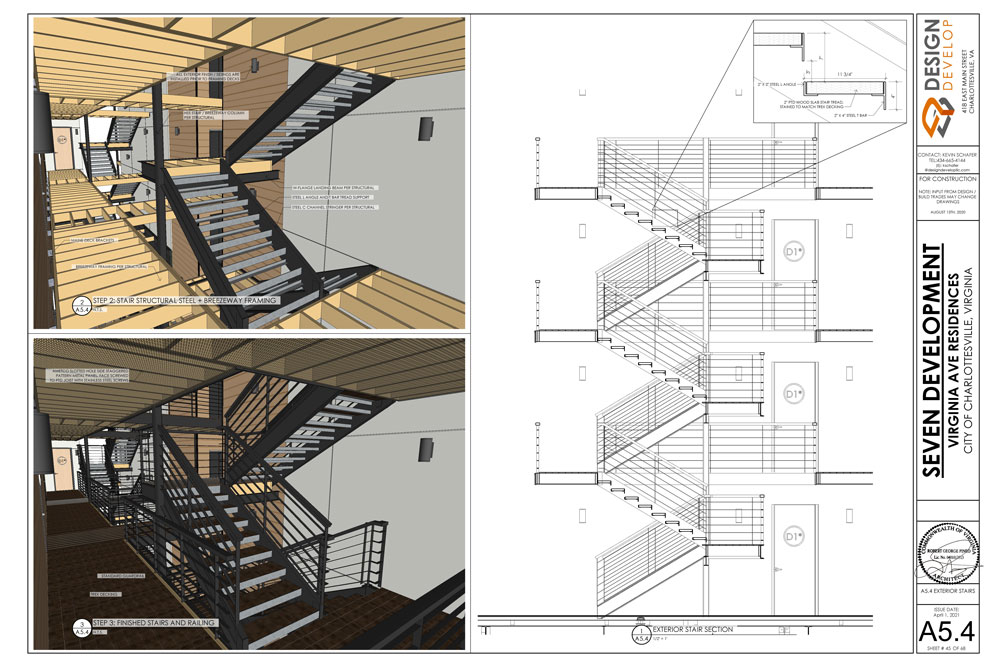
Once the design details are finalized, we price everything out to make sure we stay within budget. Then we get to the build phase. We export our entire design into LayOut for construction documentation.

“In many cases, the LayOut documentation is the “holy grail” of the design because there is no room for error. Everyone refers to it.” 

Getting into the details with LayOut documentation.

What are the benefits you get using the Trimble suite of products?

Combining Trimble products has helped grow our company exponentially. We use SketchUp, Trimble X7, and Scan Essentials. We don’t use technology just to use it. We use it to help streamline our workflow and grow our business. Incorporating this technology has been very straightforward and the ability to iterate wasn’t sacrificed. 


“When we look for technology or new tools, we need them to be flexible enough for our projects without overdoing it — and that’s what Trimble offers us. These products are flexible, affordable, practical, and help everyone on our team get their job done efficiently.”

At the end of the day, we are known as innovators so we need technology to keep up with the pace of our projects.


Using innovative technology in SketchUp: Scan Essentials.

What’s next for you and your team?

We have a desire to integrate more Trimble products such as Trimble RealWorks and CloudEngine. We’ve seen a lot of growth with our process using Trimble products so we want to see where else this can go. It’s an exciting time. As always we are so grateful to the folks at Sketchup and Trimble for all the great products and services they provide! We see ourselves being part of that family for years to come.

Using 3D design visualization tools with Jacobs

Award-winning imagery from ASAI. Project: Tyndall Air Force Base. Date: 2020.

With a background in architecture and a passion for visualization, it’s no surprise that Jim Kessler, Director of the Visual Media Group at Jacobs, a global solutions firm, relies on SketchUp and a wide range of rendering tools to communicate project design and processes. Read along as we detail his team’s visualization process, which has earned several awards of excellence from the American Society of Architectural Illustrators (ASAI).


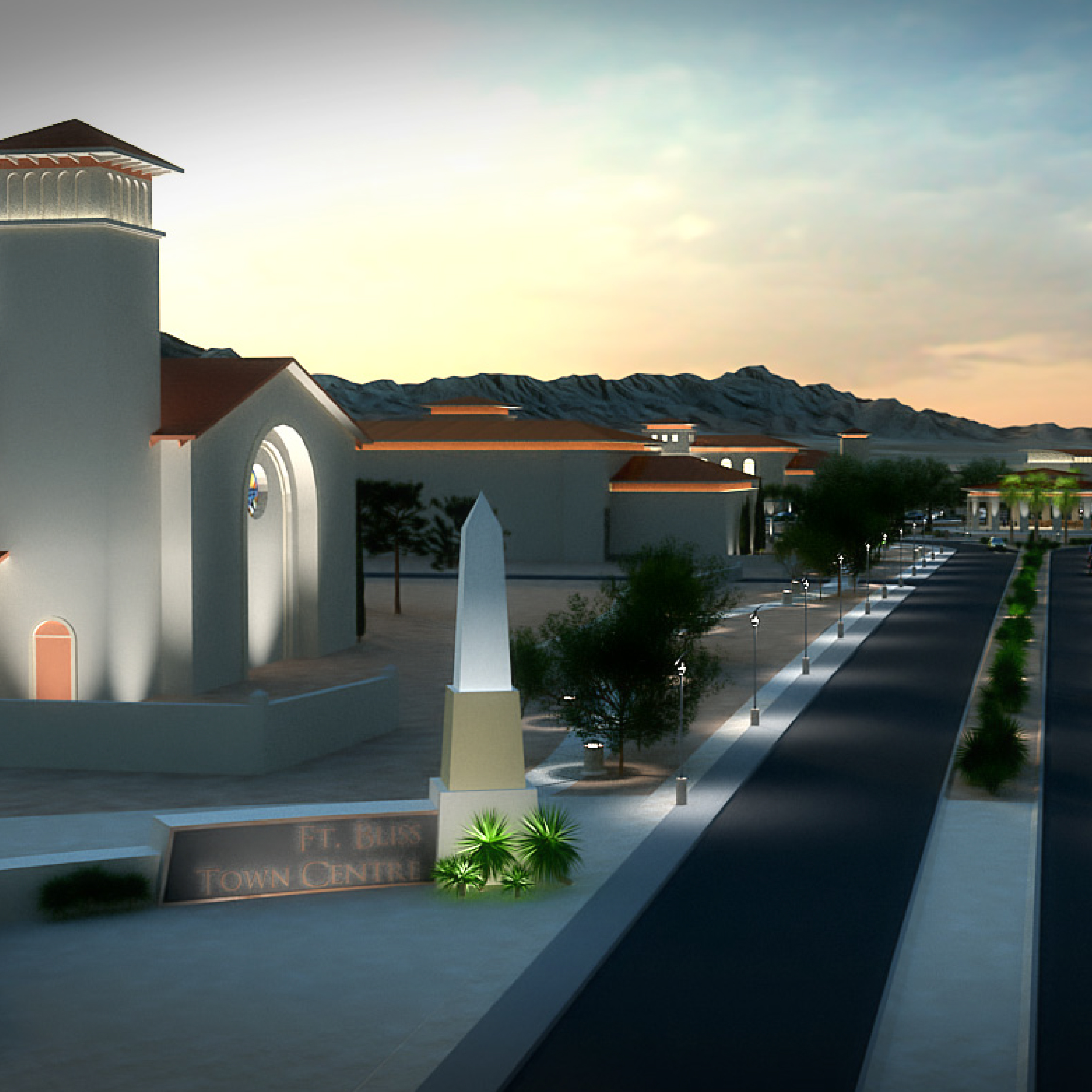
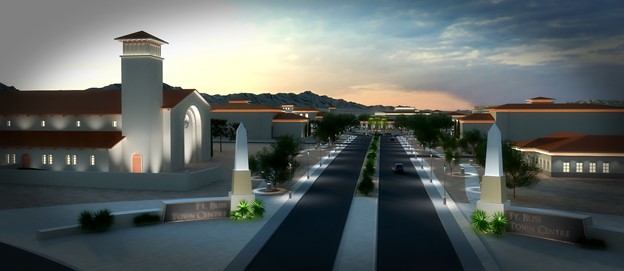
Communicating project details using SketchUp and 3ds Max. Project: Fort Bliss town center in El Paso, Texas.

Tell us a little bit about your background, company, and the way your group is organized. 

I studied and started off my career in architecture. I practiced for several years before I found my passion for visualization. I love being able to use electronic design tools to advance the visual communication of ideas.

I joined Jacobs 22 years ago and have been able to build my career and focus on the aspects of design that I enjoy the most. Jacobs provides innovative solutions and bespoke communications for a wide range of industries including everything from aerospace to architecture.

After identifying a critical need for holistic media solutions for Jacobs, I created the Visual Media Group. We are responsible for introducing the company to new technology, visually communicating a design or telling a story, and generating compelling visualizations. I like to think of our group as the “turning the light bulb on” team helping clients communicate a project’s intent and impact on their constituents, team members of broader communities.

One of the first 3D models I created in SketchUp. This is now used in the SketchUp Help Center.

Tell us a little bit about how you currently use SketchUp and your workflow.


Because our group’s responsibilities encompass everything involving visualization, we rely on a wide range of tools — one of those being SketchUp.

SketchUp used in the Fort Bliss town center project.

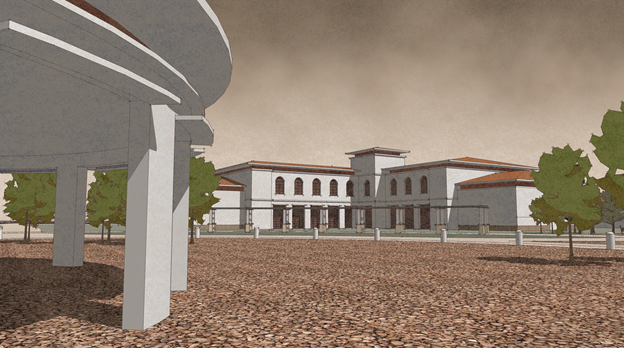
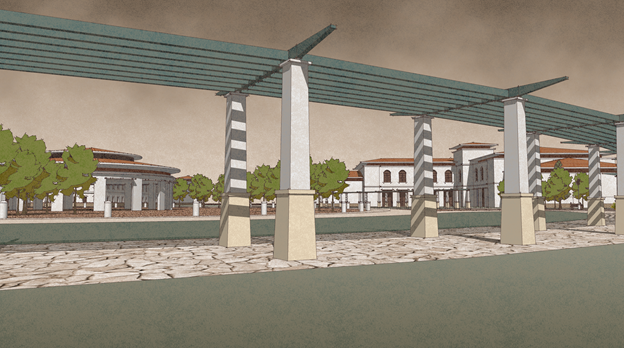
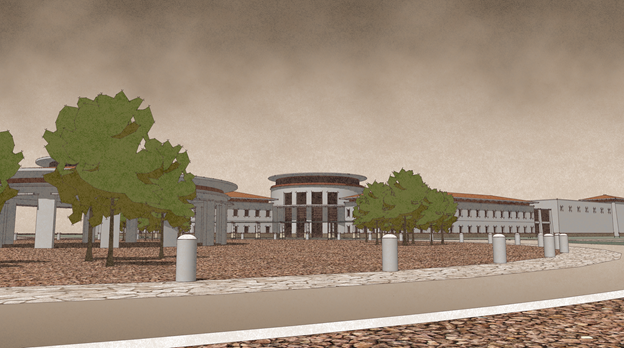
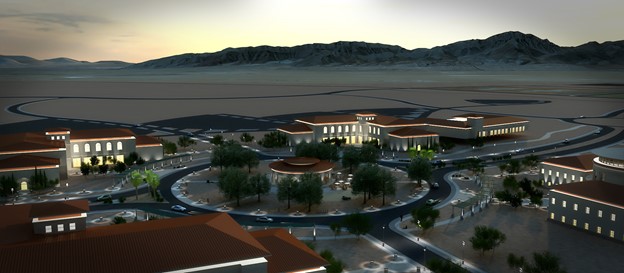
Our normal workflow involves the architecture group developing the foundational design in SketchUp. Then, our group exports the 3D model and cleans it up. We strip out all of the entourage and unnecessary components. When we are done, it’s just raw geometry that is left. Our team then imports it into 3ds Max or TwinMotion so we can use tools like V-Ray tune for textures on flat surfaces. We remodel it in other software so we can show imperfections easier like rust on a metallic surface. At this stage, we add entourage back in from our large render-ready, in-house content library. All that’s left at this point is to run a high-quality visualization export. To support this, we have a render farm of about 30 dedicated computers.

A high-definition render. Project: Fort Bliss located in El Paso, Texas.

Tell us a little bit about the award you won from the American Society of Architectural Illustrators using SketchUp & Photoshop.

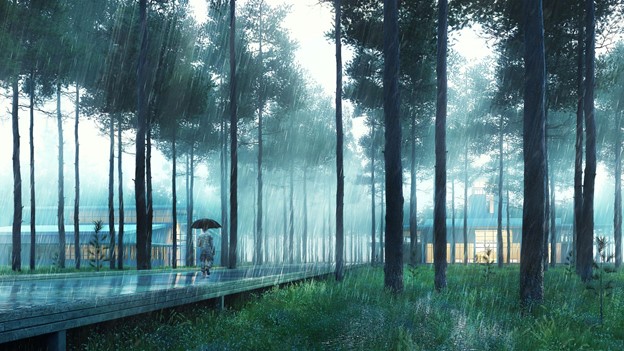
Every year we submit a visualization project to the American Society of Architectural Illustrators (ASAI) Architecture in Perspective Competition. This last year we submitted our designs for the Tyndall Airforce base and we won an award for excellence. The foundation of this design was in SketchUp and then we rendered it in 3ds Max. Our style was based on hyperrealism — a notch above photorealism, and a current theme and style in the industry. This style is very mood-based. For this particular image, we focused on a rain shot. We were trying to capture a torrential downpour in the Florida region at around 3 p.m. You will notice stark reflections and shadows that help tell this story. We also incorporated basic design principles such as having a foreground, and background and applying the rule of thirds.

Award-winning project from ASAI: Tyndall Air Force Base.

How do you pick a style for the projects you work on?

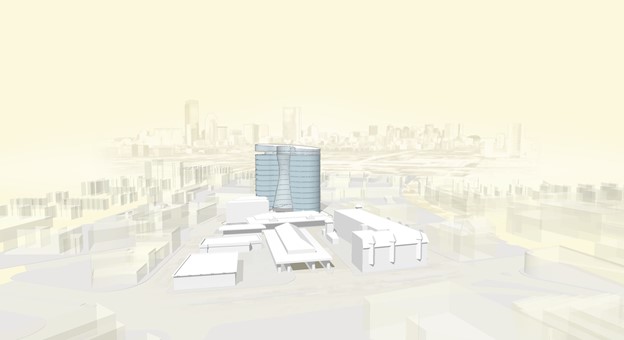
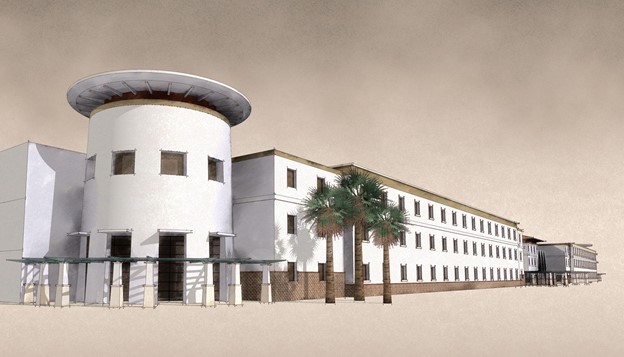
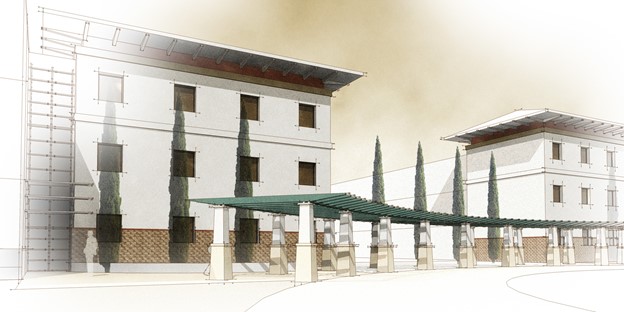
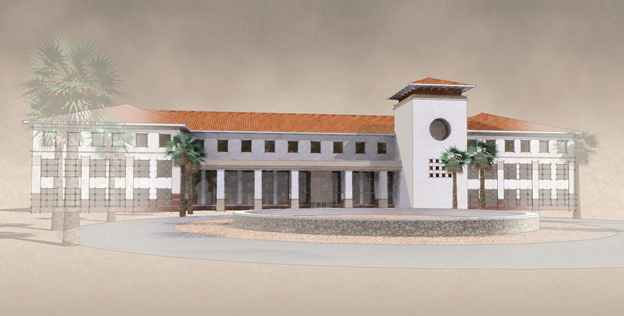
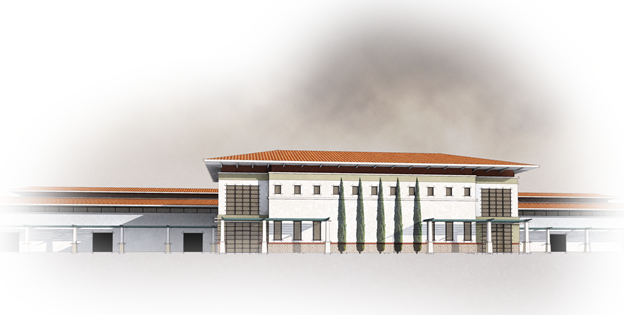
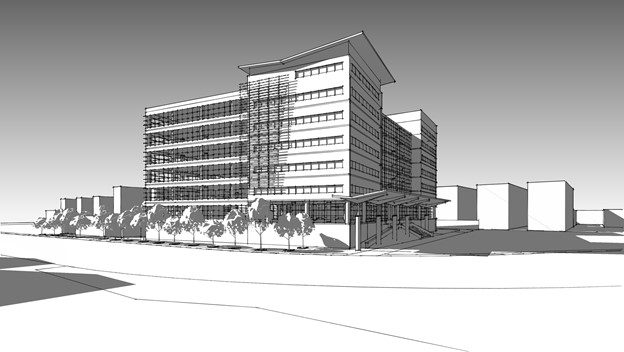
It really depends on the project. I enjoy non-photorealistic renders (NPR). These styles allow a designer to communicate early-stage designs before many key architectural decisions have been made. I think SketchUp is an excellent tool for this. For every project, I develop a custom style in Style Builder. For example, on a project for Fort Bliss (located in El Paso, Texas), I focused on a pastel watermark for the skyline and worked with desert colors like the tinge of sand to get a feel for that environment.

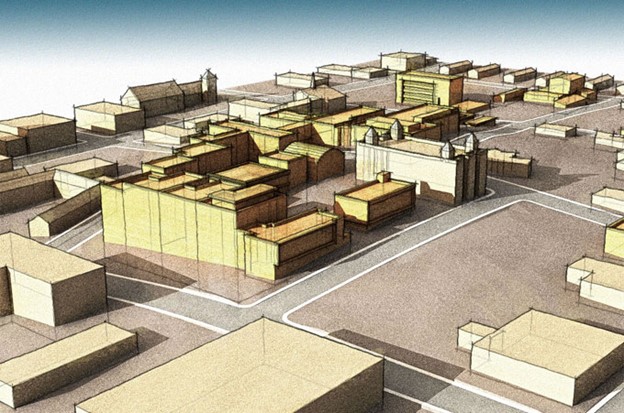
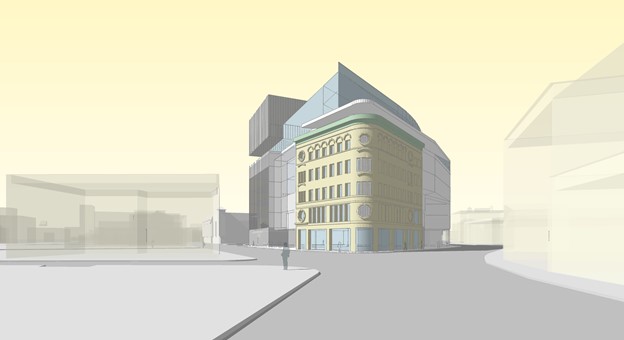
NPR-style image showcased. Project: Dudley Square.

I put forth that if you are designing in SketchUp one should think critically about not only the design but how one communicates the intent through the customization of the stylized representation. I feel as though you need to think critically about how you present ideas to clients. This can be very meticulous and you have to go color by color in a design. This can take a lot of time, which is why a lot of people won’t do it.

 Using custom styles to communicate project details. Project: Military Barracks.

Why do you enjoy NPR-type visualizations the most?

At the early stages, when a design is in flux and conversations with the clients are taking place, a photorealistic rendering signals completion of the project and that design changes are no longer possible. Whereas an NPR visual suggests a sense of flux and has a huge artistic element to it, which architects gravitate towards. 

More NPR-style visuals.

Are there specific rendering tools that you prefer? 

We use a wide range of rendering tools depending on the stage of the project and what we are trying to accomplish. As you’ve seen, we rely on rendering engines and tools that can really improve the quality of output. Some of these are Unreal Engine, Unity, V-Ray, 3ds Max, TwinMotion, Substance Painter, Quixel Megascans, and for post-production, we use the entire Adobe Creative Suite.

About Jacobs

At Jacobs, we’re challenging today to reinvent tomorrow by solving the world’s most critical problems for thriving cities, resilient environments, mission-critical outcomes, operational advancement, scientific discovery, and cutting-edge manufacturing, turning abstract ideas into realities that transform the world for good. With $14 billion in revenue and a talent force of approximately 55,000, Jacobs provides a full spectrum of professional services including consulting, technical, scientific, and project delivery for the government and private sector. Visit www.jacobs.com and connect with Jacobs on Facebook, Instagram, LinkedIn, and Twitter.