









ArchViz Collection

So easy to use, yet so hard to beat.

Create your best renderings yet.

5 reasons why we make archviz effortless

Intuitive, powerful tools designed for stunning photorealistic renders – with our Archviz Collection.

Designed for archviz artists.

From concept to final render, everything you need for the perfect archviz scene.
 
feature-icon-snap-black.svgEffortless photorealism

Corona’s photoreal quality and ease of use guarantee show-stopping results.

feature-icon-crowd-black.svgEasy crowd and traffic simulation

Realistic animated people and traffic add life and realism to your scenes.

feature-icon-fire-black.svgDynamic effects

Powerful simulations like fire, smoke, liquids, and more enhance storytelling.

Real-time meets photoreal.

Effortlessly strike the perfect balance between speed and quality at every stage of your project.
 
feature-icon-real-time-black.svgReal-time scene exploration

Use Vantage to explore lighting, materials, and compositions instantly.

feature-icon-chat-black.svgFaster feedback, quicker approvals

Iterate faster and shorten approval cycles with real-time rendering and feedback.

feature-icon-quality-black.svgPhotoreal results, every time

Render your final images in true-to-life detail, thanks to Corona’s unmatched photorealism.

Seamless integration & interoperability.

Work smarter, not harder, with tools that are designed to talk to each other.
 
feature-icon-v-ray-black.svgInteroperability across Chaos tools

Standardized file formats like .vrscene ensure smooth handovers.

feature-icon-grid-check-black.svgDeep integration with leading platforms

Integrated with the tools you already use: 3ds Max and Cinema 4D.

feature-icon-easy-black.svgNo workflow disruption

Create your scene once and render it everywhere—no rebuilding necessary.
Cost efficiency & scalability.

A flexible, scalable solution that grows with your firm.
feature-icon-layer-black.svgThe complete toolkit

Your ultimate design and visualization toolkit, supporting every step from ideation to presentation.

feature-icon-check-layer-black.svgOne subscription

Access multiple premium tools with a single Chaos subscription.

feature-icon-cost-black.svgSpend smarter

Cut costs, not capabilities. Maximize value without compromising on quality, performance, or flexibility.

One partner. Full support.

Simplify your experience with a single, trusted partner.
 
feature-icon-award-black.svg25+ years of industry expertise

Get expert sales and support from one unified, established team.

feature-icon-easy-black.svgNo need to juggle multiple vendors

Consolidate your toolkit—no more managing disparate software providers.

icons_feature-icon-info-black.svgOne support system

Rely on expert assistance across your entire toolkit and workflow.
500K+ Monthly Users

Used in 150+ Countries

Mooney Architects

Speed over quality is the best feature, even competing with others like Twinmotion, Lumion, D5 among others. The ease of use, integration and capacity to get to a final configuration is also one of the best features.

I don’t dislike Enscape. I think I’d like it even more if it had even more diverse, realistic, and dynamic people. The asset library continues to improve. I’d love to customize my own proxies. Animated avatars, vehicles, birds, etc. would be amazing.

Cowsplan

Enscape is a really powerful tool but it is also really easy to use. You can get amazing results in just a few hours of learning, and with a little investigation you can be a “pro” user in just a few days.


It is really easy to implement in your workflow as it integrates directly into Revit. We use it every single day, our students really love the results they can get and the feedback we receive is absolutely amazing. It’s a great product and I can’t recommend it enough.

Kalina Interiors

The perks are easy presentations of 3D models of design to clients and beautiful quick-and-dirty renders. Without any delay or hassle we can connect our VR-headset to a PC and show our clients around. It’s easy to create a simple online link to view designs or to create a walkthrough video for customers to take to work for internal presentations etc.

JKM Cartentry

My computer has trouble running lot of comparable rendering softwares but Enscape has no troubles. I can fully utilize every feature offered by Enscape without any issues. I am graduate student studying architecture and Enscape creates gorgeous renderings and walkthroughs. Super easy to use; I watched literally one generic tutorial video and could easily figure everything out. Very compatible with all of the softwares I’ve tried integrating into it (revit, sketchup, rhino, etc).

About Elmtec

With over 25 years’ experience in the digital design community, Elmtec is one of the leading suppliers of professional hardware and software. Our specialists offer product knowledge, industry experience and support to ensure we save your business time and money.

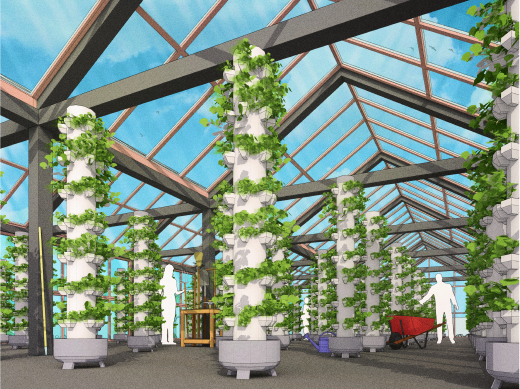
Modern greenhouse with plants inside and person working in background

Get your Free 14-day trial here