






A SketchUp Pro Subscription is where great ideas get to work.
SketchUp Pro is powerful and intuitive 3D modelling computer software for a wide range of drawing applications used across a range of industries from architecture, interior design, landscape architecture and construction, to film and video game design.
A commercial SketchUp Pro subscription is assigned to one individual and can only be used by that registered user. It cannot be shared between colleagues. The individual can authorise their subscription on two computers that they use – but can only use one at a time (typically a work computer/desktop and a laptop).
To access your subscription, you must sign in with Trimble ID. Each user account can only be associated with one individual person. You cannot create a generalised user account that is shared by more than one person. This is what we refer to as a “named user”.
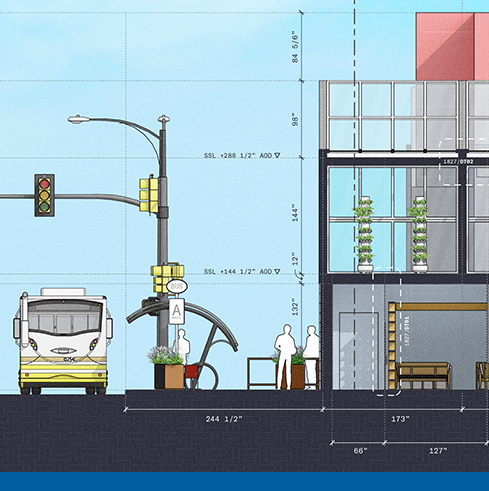
As of November 4, 2020, SketchUp Pro is no longer available in a perpetual license form with its annual maintenance and support fees. A subscription is now the way to access SketchUp Pro, which offers a whole suite of products at a lower price point and with constant updates and improvements to user requests.
There’s a reason SketchUp is synonymous with intuitive and user-friendly 3D design software: it doesn’t sacrifice usability for functionality. Start drawing lines and shapes. Push and pull surfaces to turn them into 3D shapes. Stretch, copy, rotate and paint to create anything you want.
The SketchUp Pro student bundle includes the premium online modeller (SketchUp for Web), Trimble Connect for Business, as well as the desktop applications.
LayOut takes your 3D model into 2D space; it’s the tool for creating documentation from your SketchUp model.
SketchUp Pro’s desktop client modeller; all you need is an internet connection and your creativity.
Find a 3D model of just about anything and import it straight into your own model.
SketchUp extensions are add-on tools that solve 3D modelling problems which can seriously supercharge your workflow.
You’ll get all the help you need with any installation and technical questions that may arise.
The Trimble Connect extension for SketchUp provides direct access to projects, models, and other features of the Trimble Connect platform.
SketchUp Campus is a unique, in-depth learning hub with SketchUp-approved courses, to make learning SketchUp convenient and simple.
All devices should be compatible with OpenGL ES 3.0 and have at least 1024MB of RAM.
To view models in augmented reality, devices should meet these additional requirements:
All devices should be compatible with OpenGL ES 3.0 and have at least 1024MB of RAM.
To view models in augmented reality, devices should meet these additional requirements:
A single-user subscription is associated with one person (named user) and that individual can then install SketchUp on up to 2 computers. However, only one computer will run SketchUp at a particular time. A subscription cannot be shared between two people.
When you sign up for a subscription you’ll prepay for the full term of your annual subscription. If you do not want to pay for an additional year you can disable auto renewal. You will be able to use the applications in your subscription for the remainder of your annual term. There are no partial refunds if you stop using your subscription before the end of the term.
In the UK, you purchase your SketchUp Pro subscription from us. Your subscription will not be renewed automatically; instead, we will contact you ahead of your renewal to let you know it will soon be time to renew.
Each product has different functionality and dependence on the internet.
SketchUp for Web is a web-based modeller, so you’ll need to be always connected to the internet to use it.
To install desktop applications like SketchUp Pro and LayOut for the first time, you’ll need to be connected to the internet. After that, you can model offline for up to 28 days before you need to sign back in.
if you’re working in a desktop application and need to access Extension Warehouse or 3D Warehouse, you’ll need internet connection.
Please contact us for a quote regarding volume discounts.

With over 25 years’ experience in the digital design community, Elmtec is one of the leading suppliers of professional hardware and software. Our specialists offer product knowledge, industry experience and support to ensure we save your business time and money.

Get your Free 7–day trial here
 Windows
  Mac OS
 Android