





SketchUp Software for 3D Modelling
3D modelling is the process of building an accurate graphical representation of objects. These 3D computer graphic models can be used for a range of purposes, from designing a complete building to mapping a specific object for use in animation.
3D modelling is an extremely important tool, allowing designers to check their creations before they enter production. 3D modelling software helps to reduce the overall cost of prototyping, allowing them to complete projects more quickly and accurately.
SketchUp is an excellent choice of 3D modelling software for both beginners and expert designers. Just starting out? You can build 3D models using nothing more than your web browser, completely free. You even get 10GB of free cloud storage for your models.
Looking for a professional modelling tool? SketchUp is available as a cost-effective subscription and includes a full desktop application to support more heavyweight designs and offline operations. You also benefit from unlimited cloud storage for your models.
Features of SketchUp 3D Modelling Software
SketchUp 3D Modelling software helps to make it much easier to plan and execute projects.
- Intuitive 3D modeling
- Import / export from CAD
- Photo insertion and modeling from photos
- 2.5 million free downloadable 3D components
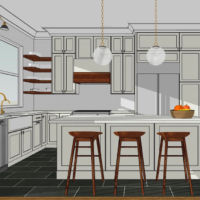
Variety of graphic styles
- Dozens of ready-made styles
- Create the expressive form that distinguishes you
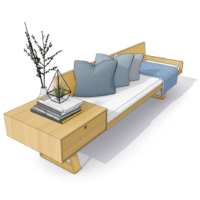
Dynamic components
- Create your own library of dynamic components
- i.e. Parametric objects
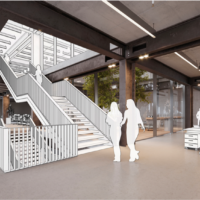
Over 300 free applications
- Extension Gallery to solve specific design needs
- Specific for 3D Modelling
Is SketchUp Pro Right for me?
- Design for 3D models in the digital design world.
- Home Remodelling and Interiors 3D Design
- No Need to Model Everything from Scratch – Subscription includes access to our 3D Warehouse
Why Choose SketchUp Pro For 3D Modelling?

Create 3D visualization of concepts and designs you have stuck in your brain within minutes.
An award winning tool used worldwide by millions of digital designers passionate about creating real, 3D designs.

Impress your customers by creating immersive, explorable 3D models at the same cost as buying a coffee a day.

Verified Great Product & Great Service
I have used SketchUp for over 10 years in my interior design business and the simplicity of it is second to none, it is so easy for me to create floor plans and designs for my clients and it doesn't break the bank!
Joanna - SketchUp User
I started with SketchUp when a builder introduced it to me as we were doing some work on our home in Bristol. This was around 10 years ago. I love playing with graphics and realised how quickly I could learn this as a tool. I'm not CAD trained so I am self taught at all the 2D work we produce. This has not limited the opportunities and CowPlan now employs two CAD specialists as part of our small team.
Ivor - CowPlan

Easy 3D Modelling
Getting started with 3D modelling and Computer Aided Design (CAD) is quick and easy when using SketchUp. Simply sign up for a free trial and test it out for yourself – no credit card required.
And to make sure you get the most from your trial, take a look at our quick start tutorials which will help you get to grips with the tools and concepts of 3D modelling.